Austin Gallery
Printing & ReproductionOctober 17, 2026Updated October 17, 202610 min read

The Best Sticker Paper for Inkjet Printers (2026)

Glossy vinyl, matte, clear, waterproof and holographic sheets from Koala, Cricut, Avery and Silhouette, matched to the job, with cost per sheet and cost per sticker worked out.

By · How we research

★ Our Top Pick

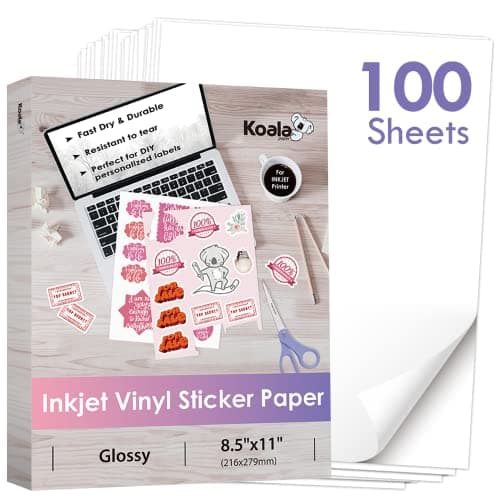
Koala Printable Vinyl Sticker Paper, Glossy, 100 Sheets

Koala Printable Vinyl Sticker Paper, Glossy, 100 Sheets

Waterproof printable vinyl at about $0.37 a sheet.

$36.99rated 4.5/5 in our review

Not sure yet? Compare all 8 picks below ↓

The best sticker paper for an inkjet printer is Koala's glossy printable vinyl (about $37 for 100 sheets at the time of writing, about $0.37 a sheet), because vinyl peels cleanly and stands up to water where paper sticker stock tears and smears. Pick Koala's matte vinyl for planner stickers, Cricut clear vinyl for labels on glass, Koala holographic for premium designs, and plain glossy paper for packaging seals.

The biggest choice is not the brand; it is paper or vinyl. Paper sticker sheets are cheaper and fine for labels and seals that stick once. Vinyl costs more and is what you want for anything handled, washed or stuck on a bottle. After that, choose a finish (glossy, matte, clear or holographic) to suit the art.

Below: eight sheets from Koala, Cricut, Avery and Silhouette, a use-case table, a vinyl vs paper comparison, and cost per sticker worked out. HP's sticker media on Amazon is Zink paper for its Sprocket photo printers, which does not run through a regular inkjet, so it is not on this list. Every product link goes to Amazon with our affiliate tag; we earn a small commission, at no cost to you, when you buy through us.

Best Overall (Waterproof Glossy Vinyl)Our Pick

Material

Printable vinyl, glossy white

Printer

Inkjet (per Koala)

Water resistance

Waterproof vinyl (per Koala)

Adhesive

Removable (per Koala)

Sheet size

8.5 x 11 in

Pack

100 sheets

Cost per sheet

About $0.37

Pros

  • Vinyl face resists tearing and moisture
  • Bright glossy finish shows color well
  • Low cost per sheet in the 100 pack
  • Works with Cricut, Silhouette and Brother cutters

Cons

  • Inkjet only, not for laser printers
  • Needs drying time before cutting
  • Laminate still needed for heavy wear

Vinyl is what separates a sticker from a label. Paper sticker stock tears when you peel it and cockles the moment it gets wet. Printable vinyl has a plastic face, so it flexes, peels cleanly and shrugs off a damp hand. Koala is the brand most sticker sellers start with because the sheets are inexpensive in bulk, and the glossy finish makes inkjet color pop.

$0.37Cost per 8.5 x 11 in sheet in the 100-sheet pack, at the time of writing
Print settings: choose your printer's glossy photo paper setting and highest quality, print, then leave the sheet flat until the ink is fully dry before it goes on the cutting mat. Most smearing problems are cutting too soon.

Pair it with a cutting machine for kiss-cut stickers; our best Cricut machines guide and our Cricut vs Silhouette Cameo 5 comparison cover the cutter side. Need the printer? See our best printers for stickers guide.

Our Pick

For stickers people will put on water bottles, laptops and notebooks, print on vinyl, not paper, and Koala's glossy printable vinyl is the one we would buy. Koala lists it as waterproof, tear-resistant and removable, made for inkjet printers. The 100-sheet pack is about $37 at the time of writing, which works out to about $0.37 a sheet.

Buy it if you sell stickers or make them as gifts, print on a home inkjet, and want a sticker that survives handling and a splash.

What we don't like

Inkjet only. The vinyl may be waterproof, but fresh ink is not, so let sheets dry fully before cutting. For dishwasher or outdoor use, add a clear laminate on top.
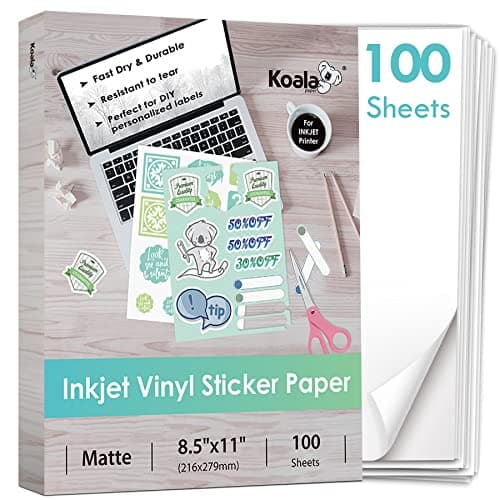
Best Matte VinylAlso Great

Material

Printable vinyl, matte white

Printer

Inkjet (per Koala)

Water resistance

Waterproof vinyl (per Koala)

Adhesive

Removable (per Koala)

Pack

100 sheets

Cost per sheet

About $0.29

Pros

  • Lowest cost per sheet of the vinyl picks
  • No glare, takes pen and pencil
  • Same vinyl durability

Cons

  • Slightly muted color
  • Inkjet only

Glossy or matte is an art decision, not a quality one. Glossy reads brighter and more saturated, which suits bold graphics and photos. Matte reads softer and more like a print, which suits watercolor scans and line art. If you sell both styles, a 50-sheet pack of each (matte 50, about $19, and glossy 50, about $19) is a cheap way to see which one your buyers pick.

Also Great

The matte version of Koala's printable vinyl is cheaper per sheet (about $0.29) and better for planner stickers, illustration and anything you will write on. Koala lists it as waterproof, removable and made to work with cutting machines. About $29 for 100 sheets at the time of writing.

Buy matte if your art is illustration or hand lettering, if stickers go in planners and journals, or if you want a print that does not glare under booth lights.

What we don't like

Colors look a little softer than on the glossy sheet. Inkjet only.

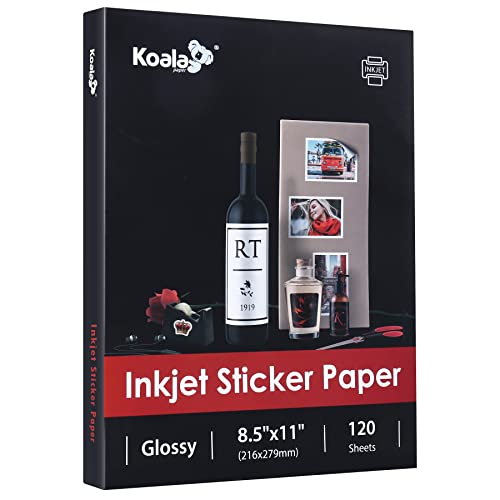
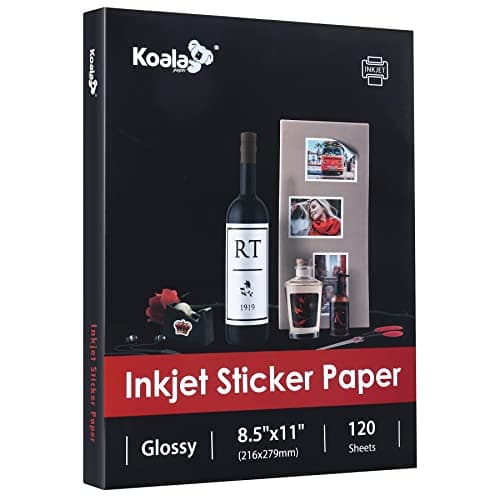
Best Budget (Glossy Paper)Budget Pick

Material

Glossy paper, self-adhesive

Printer

Inkjet (per Koala)

Water resistance

No

Pack

120 sheets

Cost per sheet

About $0.18

Pros

  • Cheapest per sheet here
  • Glossy photo-like finish
  • Good for test prints and packaging

Cons

  • Tears and smudges when wet
  • Not for bottles or laptops

Not every sticker needs to be vinyl. A branded seal on a print sleeve or a thank-you sticker in a mailer just needs to look good and stick once. Paper does that for half the price. Our print packaging supplies guide covers the sleeves and mailers it goes on.

Budget Pick

For stickers that will not see water, like packaging seals, kids' crafts, envelope stickers and freebies in orders, glossy paper costs half as much as vinyl. Koala's 120-sheet pack is about $22 at the time of writing, about $0.18 a sheet.

Buy it for thank-you stickers in order packaging, labels for jars and gift tags, and practice runs while you dial in your cutter.

What we don't like

It is paper: it tears when peeled and is not water resistant. Not for anything that gets handled a lot.

Austin Art Insider

Free weekly guide to galleries, exhibitions & collecting in Austin.

Best for Cricut Print Then Cut

Material

Printable vinyl, white

Printer

Inkjet (per Cricut)

Machines

Cricut Maker, Explore, Joy Xtra (per Cricut)

Pack

50 sheets

Cost per sheet

About $0.56

Pros

  • Made for Cricut machines
  • Easy first results
  • Sold everywhere Cricut is

Cons

  • Higher cost per sheet
  • Not needed once you know your settings

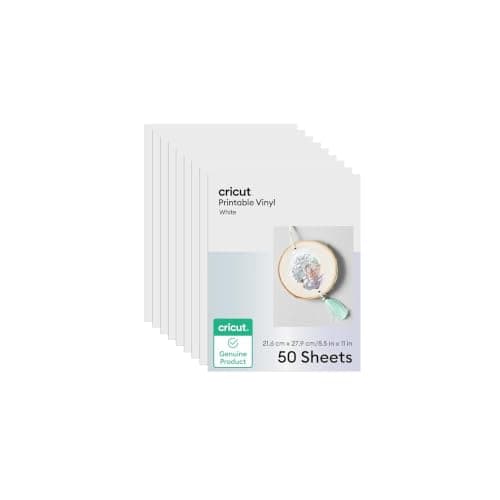
Brand-matched material is worth it for the first box, not forever. Kiss cuts depend on blade depth and pressure, and Cricut's own sheet lines up with its own preset. After a few test cuts with a custom setting, cheaper vinyl works on the same machine. If you need extra water resistance from the start, Cricut also sells a waterproof sticker paper, 20 sheets (about $23). Shopping for a machine? Our Cricut Maker 5 vs Maker 4 page covers the newest Cricut.

If you cut on a Cricut and want the material settings to just work in Design Space, Cricut's own printable vinyl removes the guesswork. Cricut lists it for inkjet printers and the Maker, Explore and Joy Xtra. The 50-sheet pack is about $28 at the time of writing, about $0.56 a sheet.

Buy it if you are new to Print Then Cut on a Cricut and want a material that matches a Design Space preset, so your first batch cuts cleanly.

What we don't like

About 50% more per sheet than Koala vinyl. Once you have dialed in a custom setting, third-party vinyl cuts just as well on a Cricut.

Best Clear Sticker Paper

Material

Clear printable vinyl

Printer

Inkjet (per Cricut)

Pack

40 sheets

Cost per sheet

About $0.40

Pros

  • Lowest cost per clear sheet from a major brand
  • Good for jar and bottle labels
  • Vinyl, not film-backed paper

Cons

  • No white ink at home, so light colors disappear
  • Shows dust and fingerprints

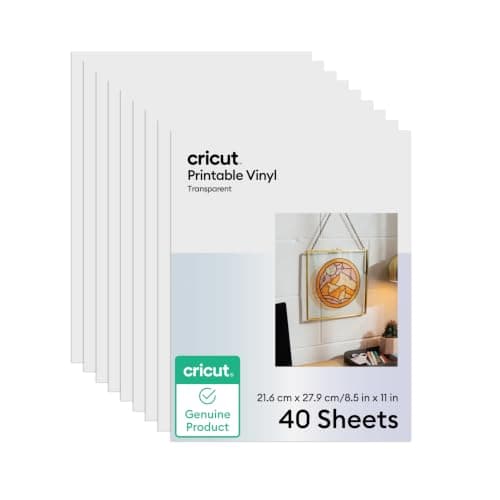
Clear stickers are the ones that disappoint people most, and it is always the white ink. A desktop inkjet lays down CMYK only, so anything white in your art prints as clear. Design for it: dark line art and saturated color on clear vinyl, applied to a light surface. If you want a sheet built for laser printers too, Avery Glossy Clear (Template 4397) is rated for laser and inkjet, at about $9 for 7 sheets.

Clear sticker paper lets the surface show through, which is what you want for labels on glass jars, bottles and windows. Cricut's 40-sheet transparent vinyl is about $16 at the time of writing, about $0.40 a sheet, and it is the best value clear pick from a major brand.

Buy it for product labels on glass and light-colored packaging, window decals and layered sticker designs.

What we don't like

Home inkjets do not print white, so light colors nearly vanish on clear stock and dark surfaces swallow the design. Bold, dark artwork on light surfaces works best.

Best for Labels and Avery Templates

Material

Matte white sticker paper

Printer

Inkjet (per Avery)

Template

3383 (free Avery Design and Print)

Pack

90 sheets

Cost per sheet

About $0.78

Pros

  • Free Avery templates
  • Reliable feeding
  • Widely stocked brand

Cons

  • Paper, not water resistant
  • Higher cost per sheet

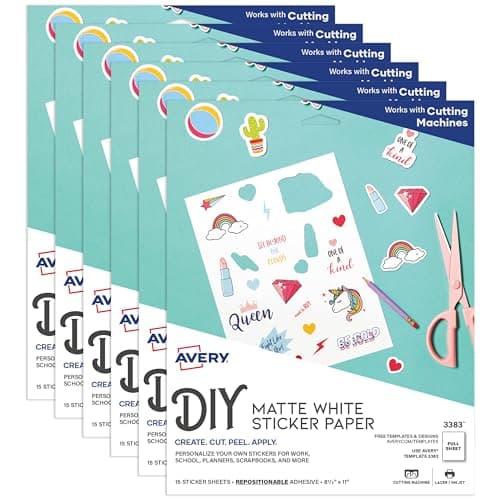
If you cut by hand or with a trimmer, Avery's templates are the time saver. Lay out labels in Avery Design and Print, print, and trim to the guides. Our best paper trimmers guide covers the trimmer for straight edges. For a 5-sheet trial, Avery Matte White (Template 53202) is about $7.

Avery's full-sheet sticker paper is the safe choice for product labels, because Avery Design and Print has free templates for it and the sheets feed reliably. The 90-sheet pack is about $70 at the time of writing, about $0.78 a sheet. Avery lists it for inkjet printers.

Buy Avery if you print labels for candles, jars, soap or packaging without a cutting machine, and want templates that line up with the sheet.

What we don't like

Paper, not vinyl, and about twice the per-sheet cost of Koala's paper stock. You are paying for the template ecosystem and feed reliability.

Best Holographic Sticker Paper

Material

Holographic printable vinyl

Printer

Inkjet (per Koala)

Water resistance

Waterproof (per Koala)

Pack

20 sheets

Cost per sheet

About $0.50

Pros

  • Instant premium look
  • Cheap to try
  • Vinyl durability

Cons

  • Pale colors wash out
  • Small pack size

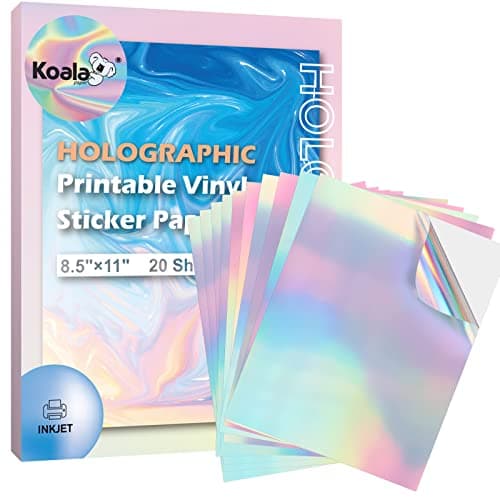
There are two ways to get a holographic sticker: print on holo vinyl, or print on white vinyl and laminate with a holo overlay. Printing on holo shines through the whole design. The overlay keeps your colors true and adds a pattern on top, plus it protects the print. Koala's clear holographic sticker sheets (about $9 for 20) do the second job and also work as a plain protective laminate.

Holographic stickers sell for more at markets, and the easiest way to make them at home is to print straight onto holographic vinyl. Koala lists this rainbow sheet as waterproof, tear-resistant and inkjet printable. About $10 for 20 sheets at the time of writing, about $0.50 a sheet.

Buy it for premium sticker designs, limited runs and shop add-ons where the shine is the selling point.

What we don't like

The rainbow shows through light areas of your print, which can wash out pale colors. Dark, saturated art looks best.

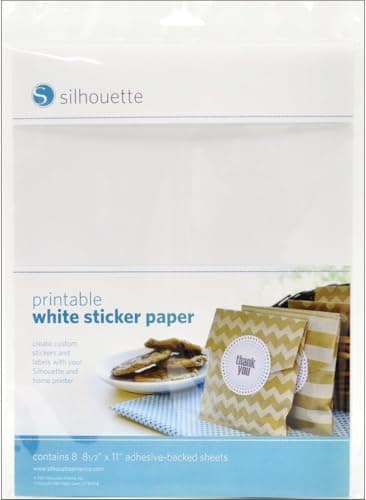
For Silhouette Print and Cut

Material

White sticker paper

Use

Silhouette print and cut (per Silhouette)

Pack

8 sheets

Cost per sheet

About $1.19

Pros

  • Matches a Silhouette Studio preset
  • Easy first print-and-cut

Cons

  • Expensive per sheet
  • Paper, not water resistant

Use the brand pack to learn, then buy bulk. Silhouette also sells a clear sticker paper (about $13). Our best vinyl cutters guide compares the Cameo with the Cricut and wider commercial cutters.

Silhouette's own white sticker paper is made for its print-and-cut workflow and matches a Silhouette Studio material preset. About $10 for 8 sheets at the time of writing, about $1.19 a sheet, so treat it as a starter pack while you learn your settings.

Buy it with a new Cameo or Portrait for your first print-and-cut runs, then move to bulk vinyl.

What we don't like

The highest cost per sheet on this page. Paper, not vinyl.

Head-to-Head

How the top picks compare

The first decision for any sticker project: vinyl or paper.

Koala Glossy Vinyl vs Koala Glossy Paper

Same brand, same glossy finish; vinyl costs about twice as much per sheet and survives water and peeling.

Koala Printable Glossy Vinyl

Koala

Winner

Koala Printable Glossy Vinyl

Waterproof base, tear-resistant, removable

$36.99
Check Price →
Koala Glossy Sticker Paper

Koala

Koala Glossy Sticker Paper

About $0.18 a sheet for seals and labels

$21.99
Check Price →

Our verdict

Winner: Koala Koala Printable Glossy Vinyl. Vinyl wins for anything a customer will handle. It costs about $0.37 a sheet against $0.18, which is about a cent and a half more per 2 in sticker, and it peels cleanly and resists water where paper tears and smears. Paper is the right buy for packaging seals, jar labels and freebies that stick once and stay dry.

Buy the Koala

your stickers go on bottles, laptops, phones or anything that gets wet or handled.

Buy the Koala

you are printing packaging seals, labels or test runs that will stay dry.

How we
chose

How we chose these sheets:

  • Manufacturer claims, labeled. Material, printer compatibility, water resistance and adhesive come from each brand's own product listing and are marked "per Koala," "per Cricut" and so on. We did not run our own print or wash tests.
  • Recognized brands. Amazon has hundreds of unbranded sticker papers with similar claims. We kept to Koala, Cricut, Avery and Silhouette, brands with consistent stock and published compatibility.
  • Cost per sheet, not pack price. We divided each live Amazon price by its sheet count so packs of 8 and 120 compare fairly.
  • Matched to the job. Durable stickers, labels, clear, holographic and cutter-specific stock each get a pick rather than one ranked list.
  • Verified listings. Every product was checked live on Amazon on the day of publication. Prices move, so treat them as a snapshot.

Share this guide

Share

Common Questions

Frequently Asked Questions

Have art
to sell?

Austin Gallery specializes in selling inherited art, estate collections, and fine art with zero upfront fees. Get a free evaluation today.