Austin Gallery
Studio & ToolsSeptember 30, 2026Updated September 30, 202613 min read

What to Make With a Laser Engraver to Sell: Products, Lasers, and Blanks

Six product types that sell, which laser each one needs (diode, CO2, or fiber), blank costs from real bulk packs, typical marketplace price ranges, and the gear to buy.

By Austin Gallery · How we research

★ Our Top Pick

xTool S1 40W Enclosed Diode Laser

xTool S1 40W Enclosed Diode Laser

Enclosed 40W diode; makes five of the six top sellers.

$1,699.00rated 4.6/5 in our review

Not sure yet? Compare all 10 picks below ↓

The laser products that sell most reliably are personalized, giftable, and cheap to blank: slate coasters, wood signs, leather hat patches, acrylic earrings, engraved tumblers, and custom cutting boards. A 40W enclosed diode like the xTool S1 (about $1,699 at the time of writing) makes five of the six; only clear acrylic earrings need a CO2 laser.

Here is each product type, the laser it needs, what the blanks cost from real bulk packs on Amazon, and the price range these items typically list for on handmade marketplaces. Treat the sale prices as typical marketplace ranges, not guarantees; your price depends on design, niche, and how you sell.

ProductLaser typeBlank cost (from listed packs)Typical marketplace price range
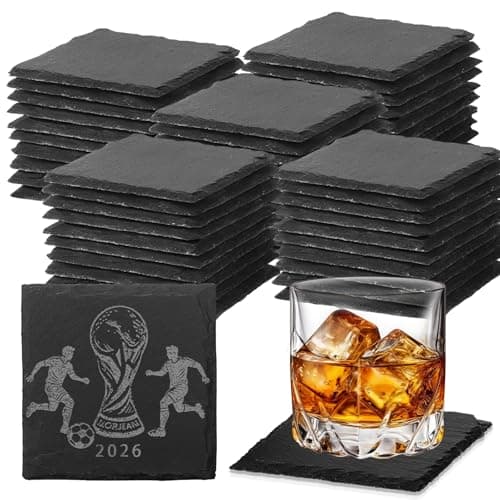
Slate coasters (set of 4)Diode or CO2About $2.70 per set (60 pack)About $20 to $40 per set
Wood signs and ornamentsDiode or CO2About $0.93 per 12 x 12 in sheet (basswood 54 pack)About $8 to $20 per ornament; $25 to $80 per sign
Leather hat patchesDiode or CO2About $0.28 per patch (60 pack)About $25 to $40 per finished hat
Acrylic earringsCO2 for clear acrylic; diode for opaque dark onlyAbout $4.60 per 12 x 12 in sheet (10 pack); blank earring kit about $14About $12 to $30 per pair
TumblersDiode or fiber, with a rotaryAbout $4.97 each (20 oz 36 pack)About $25 to $45 each
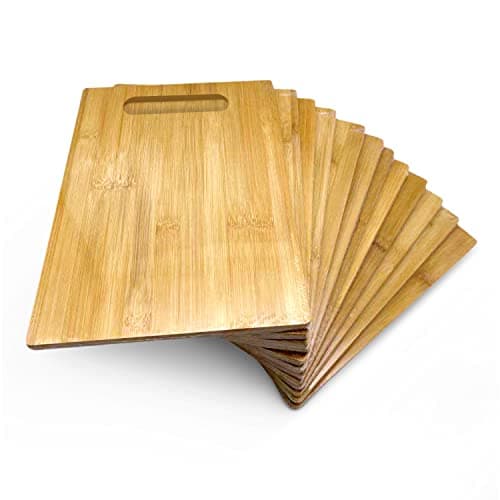
Cutting boardsDiode or CO2About $4.58 each (12 pack)About $30 to $70 each

Blank cost is only part of the real cost. Add your time, electricity, filters or ventilation, marketplace and payment fees, packaging, shipping, and the pieces you ruin while dialing in settings. Below: the lasers (diode, CO2, and fiber), the accessories every laser business needs, and the blank packs. Every product link goes to Amazon with our affiliate tag; we earn a small commission, at no cost to you, when you buy through us.

Best Laser for a Selling BusinessOur Pick

Type

Diode, enclosed (Class 1)

Power

40W optical

Bed size

23.93 x 15.16 in (per listing)

Speed

Up to 600 mm/s (per listing)

Rotary

RA2 Pro, with riser base

Pros

  • Enclosure makes a home business safer
  • Bed fits full cutting boards and batched coasters
  • 40W cuts plywood and dark acrylic
  • Strong software and accessory ecosystem

Cons

  • Cannot cut clear acrylic
  • Rotary requires the riser base
  • Needs extraction like any laser

For selling, the enclosure is the feature. A business means long runs, often in the evening, often near family. The S1's closed Class 1 body contains the beam and the smoke so it can be ducted out, and its lid sensor stops the laser if someone opens it mid-job. The 40W diode then handles most of the best-selling product types on this page: deep engraving on wood signs and cutting boards, crisp slate, leather patches, and powder-coated tumblers on a rotary.

Batching is where profit comes from. The S1's bed takes 12 of the 4 in slate coasters below in one job, or one 12 x 9 in bamboo board with room for a jig. Running full beds, rather than one piece at a time, is what turns a hobby laser into a business.

Our full best laser engravers guide compares the S1 with open-frame diodes, CO2 machines, and fiber markers.

Our Pick

The xTool S1 is the machine we would start a laser product business on. A 40W diode in a fully enclosed Class 1 body means no goggles and a safer spare room, the 23.93 x 15.16 in bed fits a full cutting board or a batch of 12 coasters, and it works with xTool's RA2 Pro rotary for tumblers. About $1,699 at the time of writing.

Buy the S1 if you want to sell wood signs, slate, leather, cutting boards, and coated tumblers from home, in a machine that is safe to run with other people in the house.

What we don't like

A diode cannot cut clear acrylic, so acrylic earrings need a CO2 laser. The rotary needs xTool's riser base on the S1. Enclosed or not, it still needs smoke ducted out or filtered.

Best Budget Laser to Test Your MarketBudget Pick

Type

Diode, open frame

Power

20W optical

Includes

Air assist

Cuts

Thin plywood, basswood, leather, dark acrylic

Pros

  • Low entry cost
  • Air assist included
  • Engraves every diode-friendly material here

Cons

  • Open frame needs eye protection
  • Slower than 40W
  • No clear acrylic

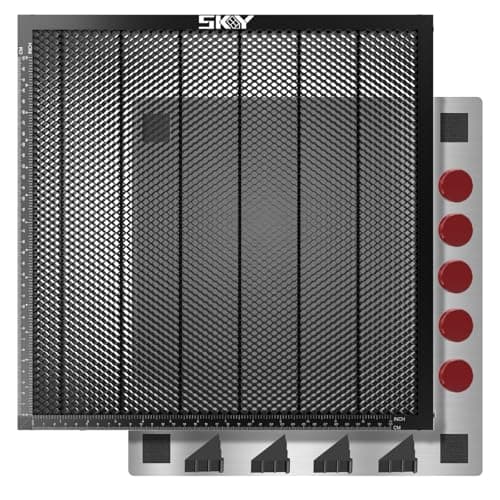
Use the LM3 to learn which products earn. Slate coasters and leather patches in particular engrave well at 20W. Put it on the honeycomb bed below, wear the included glasses, and run it where the smoke can leave. If sales take off, the S1 is the natural upgrade.

Budget Pick

The Laser Master 3 is the cheap way to find out what sells before spending $1,700. A 20W optical diode with air assist engraves wood, leather, and slate cleanly and cuts thin plywood, for about $617 at the time of writing.

Buy the LM3 if you want to test products at a craft fair or online shop and can run it in a garage or ventilated workshop.

What we don't like

Open frame, so you need laser safety glasses, an enclosure or a room others stay out of, and a honeycomb bed to protect the table. No clear acrylic cutting.

Best CO2 Laser for Acrylic and VolumeCO2 Pick

Type

CO2 (10,640 nm)

Power

60W

Work area

16 x 24 in

Focus

Autofocus

Cooling

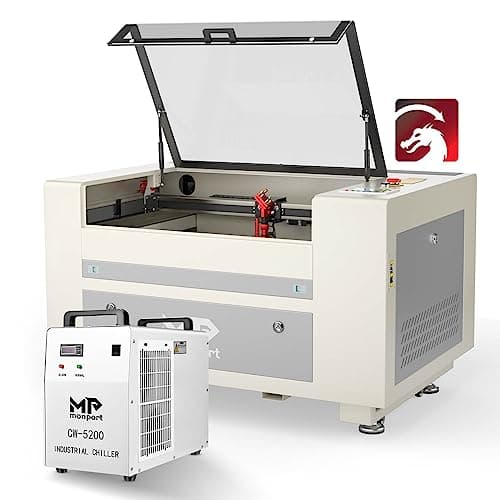
CW-5200 water chiller (included in this listing)

Acrylic cut (Monport)

Up to 20 mm

Pros

  • Cuts clear acrylic cleanly with polished edges
  • Much faster through wood than a diode
  • Chiller included in this listing

Cons

  • Needs its own space and outdoor venting
  • Tube is a consumable
  • No bare metal marking

CO2 is the acrylic laser. Clear and translucent acrylic lets a diode's blue light pass straight through, but a CO2 laser's infrared wavelength is absorbed, so it cuts with flame-polished edges. That makes it the tool for the acrylic earring and sign market. Pair it with the cast acrylic sheets below; cast acrylic engraves frosty white, while cheaper extruded acrylic engraves clear.

CO2 Pick

If acrylic earrings, clear acrylic signs, or thick plywood are on your list, you need CO2. The Monport 60W has a 16 x 24 in bed, autofocus, and this listing includes a CW-5200 water chiller. Monport rates its 60W for cutting up to 20 mm acrylic. About $2,700 at the time of writing.

Buy a CO2 laser like this when your products involve clear or colored acrylic, or you are cutting enough wood that diode speed holds you back.

What we don't like

It is a large machine that needs a dedicated space, a vent to outdoors, and water cooling maintenance. CO2 tubes are consumables (Monport cites up to 2,000 hours). It will not engrave bare metal.

Austin Art Insider

Free weekly guide to galleries, exhibitions & collecting in Austin.

The 80W CO2 Option for Production Shops

Type

CO2

Power

80W

Work area (OMTech, Pro 2440)

24 x 40 in

Cooling

Built-in water chiller

Engraving speed (OMTech)

Up to 1,200 mm/s

Doors

4-way pass-through

Pros

  • Full-sheet capacity
  • Pass-through for long signs
  • Built-in chiller

Cons

  • About $6,000
  • Needs shop space and venting
  • Overkill for starting out

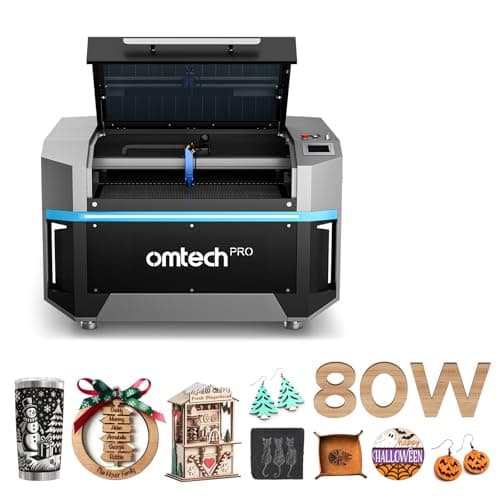
What is most profitable on an 80W CO2? Products where bed size and cutting speed multiply output: large layered wood signs, acrylic sign panels and cake toppers cut from full sheets, wedding and event signage, and bulk batches of ornaments, earrings, and keychains laid out edge to edge. The machine earns when it is full and running; if you cannot keep a 24 x 40 in bed busy, the Monport 60W or a diode is the better business decision.

An 80W CO2 is a production machine. OMTech's Pro 80W with a built-in chiller is sold as the Pro 2440, which OMTech lists with a 24 x 40 in work area, up to 1,200 mm/s engraving, and 4-way pass-through doors. About $6,000 at the time of writing.

Buy an 80W when you already have steady orders and need to cut full sheets of plywood and acrylic, run large signs, or batch dozens of items per job.

What we don't like

Floor-standing and heavy (OMTech lists the machine at 61.6 x 54.3 x 40.9 in), it needs a real shop space and outdoor venting. Confirm the work area on the listing before ordering, since OMTech sells several 80W models.

Best for Metal: Fiber Marking

Type

Fiber (1064 nm galvo)

Form

Portable marker

Best

Bare metal, jewelry

Limit

Not for wood or organics

Pros

  • Permanent marks on bare metal
  • Fast galvo marking
  • Small footprint

Cons

  • Metal-focused only
  • Small marking area

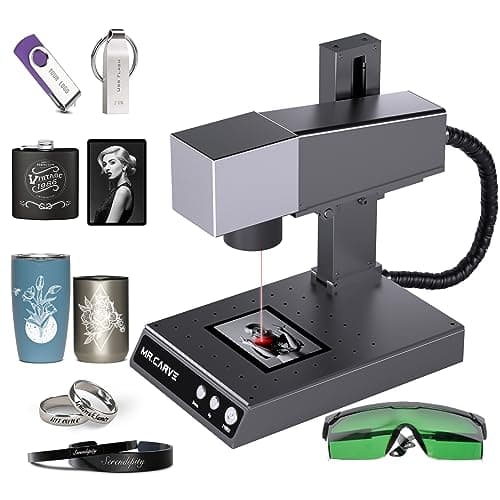
Jewelry and tags are a strong niche for a fiber marker because the blanks are cheap and personalization is the product. For colored, powder-coated tumblers, a diode on a rotary is enough; fiber is for bare steel.

Diode and CO2 lasers cannot properly mark bare stainless steel or brass. A fiber laser can. The Mr.Carve M1 Pro is a portable fiber marker for metal jewelry, dog tags, knives, and bare steel tumblers, for about $688 at the time of writing.

Buy a fiber marker if your products are metal: engraved jewelry, pet tags, tools, and uncoated stainless drinkware.

What we don't like

A fiber laser will not cut wood or engrave organics well, so it is a second machine, not a first one. Small marking area.

Required for Tumblers: Rotary Attachment

Modes

Roller and chuck

Roller range (xTool)

3 to 198 mm

Chuck range (xTool)

Up to 100 mm

Fit

xTool S1, F1, P2, M1 Ultra and others

Pros

  • Roller and chuck in one
  • Handles tumblers and tapered glasses
  • Works with most xTool machines

Cons

  • S1 needs the riser base
  • Setup takes practice

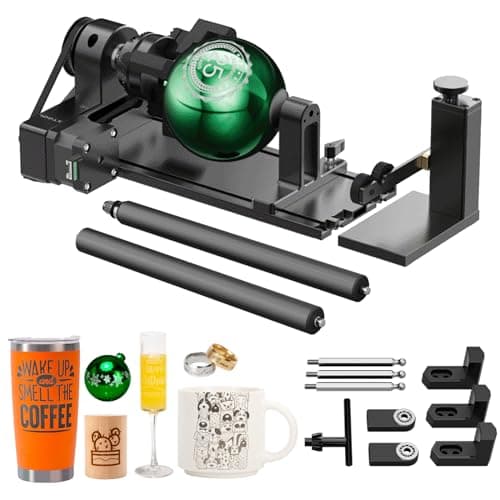
Tumblers are one of the most consistent laser sellers, and the rotary is the price of entry. Use the chuck for tapered cups and handled mugs; use the rollers for straight tumblers like the 20 oz stainless blanks below.

A rotary spins round items under the laser so the engraving wraps around them. The RA2 Pro has both roller and chuck modes; xTool lists roller capacity from 3 to 198 mm diameter and chuck capacity up to 100 mm. About $269 at the time of writing.

Anyone planning to sell engraved tumblers, wine glasses, or rolling pins.

What we don't like

On the xTool S1 it needs the riser base, sold separately. Non-xTool lasers need a compatible setup; Creality owners should look at Creality's own rotary.

Required for Indoor Use: Fume Extractor

Filtration

3-layer with HEPA

Fits

xTool M2, F2, F1, M1 Ultra (per listing)

Pros

  • Enables indoor use without a window
  • Portable

Cons

  • Replacement filters add cost
  • Limited compatibility list

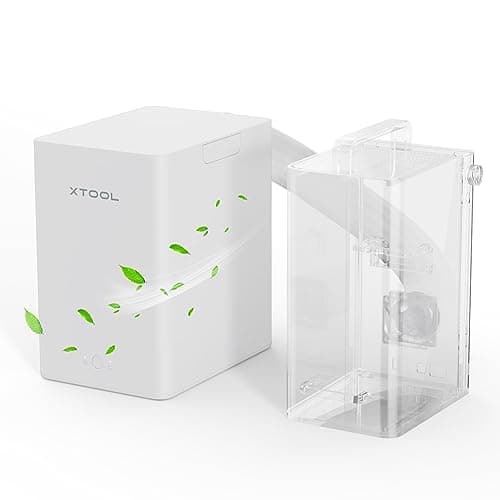
Ventilation is not optional in a laser business. Budget for it from day one: an inline fan and ducting to a window for most setups, or a purifier like this when venting is impossible. Never laser PVC or vinyl, which releases chlorine gas; that rules out most faux leather labeled as vinyl, so check your patch material.

Laser smoke from wood, leather, and acrylic is not something to breathe. If you cannot vent out a window, a filtering purifier is required. xTool's desktop unit uses three-layer filtration with HEPA and lists compatibility with the M2, F2, F1, and M1 Ultra. About $299 at the time of writing.

Owners of smaller xTool lasers working indoors without a window duct.

What we don't like

Filters are consumables and add to the cost per product. For the S1 and CO2 machines, ducting outdoors is usually the better setup; check xTool's compatibility list for your machine.

How we
chose

How we put this guide together:

  • Product types chosen for repeatable demand. We picked items that are personalized, giftable, and made from inexpensive bulk blanks, because those are the products a single laser can make at a margin.
  • Blank costs from real listings. Every blank cost is the listed Amazon pack price divided by the piece count on the day we published. They will move with sales and stock.
  • Sale prices labeled as ranges. The marketplace price ranges are typical listing ranges for these product types, not measured averages or promises of income. We did not invent sales statistics.
  • Laser type from physics, specs from makers. Which laser handles which material follows from wavelength. Machine specs come from xTool, Monport, OMTech, Ortur, and Mr.Carve, or are marked as listing claims.
  • Safety counted as cost. Ventilation, eye protection, and material safety (no PVC) are part of running a laser business, so the gear list includes them.

Share this guide

Share

Common Questions

Frequently Asked Questions

Have art
to sell?

Austin Gallery specializes in selling inherited art, estate collections, and fine art with zero upfront fees. Get a free evaluation today.