Type
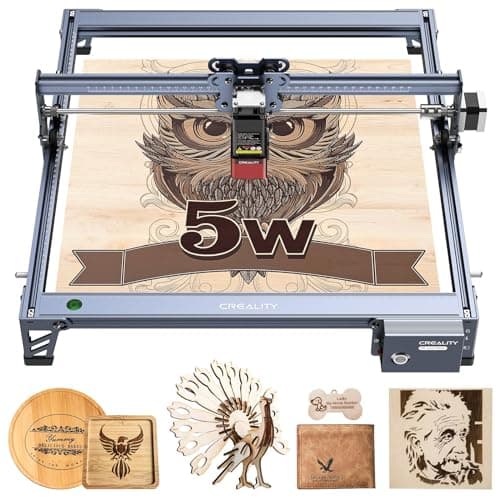
Diode (open frame)
Power
20W optical / ~140W input
Cuts
Wood, ply, leather, dark acrylic
Engraves
Wood, leather, slate, painted metal
Pros
- 20W diode + air assist, fast engraving, real cutting
- Large work area for the price
- Handles the most popular maker materials
- Huge community, LightBurn-compatible, easy to learn
Cons
- Open frame, needs goggles + fume extraction
- Can't engrave bare metal (needs fiber)
- Won't cut thick or clear acrylic (needs CO2)
For the widest range of work at the lowest sane price, a 20W diode laser is the answer, and the Ortur Laser Master 3 is the one we'd hand most people. Diode lasers are the gateway to laser work: they engrave wood, leather, slate, anodized and painted metal, and dark acrylic beautifully, and a 20W unit with air assist will cut through several millimeters of plywood and basswood.
Deciding between the two big craft brands? Our xTool vs Glowforge comparison puts them head to head. Every laser also needs a ventilation plan (see our fume extractor guide), and if you are buying to sell, start with what to make with a laser engraver to sell.
It's an open-frame laser, so factor in laser goggles, fume extraction (a window fan and ducting at minimum), and a clear, fire-safe space, diodes are real lasers, not desk gadgets. But within its lane (everything except bare metal and thick/clear acrylic), nothing this affordable does more. When you want metal, add a fiber; when you want to cut acrylic, step up to CO2, both are below.
Our Pick
The sweet spot for most people. A 20W (optical) diode laser with built-in air assist, a generous work area, and the speed to engrave wood, leather, slate, and dark acrylic fast, and cut thin wood and ply. The most capable open-frame diode you can buy without jumping to an enclosed flagship.
Buy this if you want one machine to engrave the most popular materials, wood, leather, acrylic, slate, painted metal, and cut thin plywood, at serious speed, without spending four figures. The 20W diode and air assist mean fewer passes and cleaner cuts than the cheaper 5 to 10W machines.
What we don't like
It's an open-frame laser: you need laser goggles, a fume-extraction plan, and a clear space, it's not a sit-it-on-the-desk-and-go appliance like an enclosed machine. Diodes also can't engrave bare metal or cut thick/clear acrylic, those need fiber or CO2.