Austin Gallery
Studio & ToolsSeptember 30, 2026Updated September 30, 202611 min read

xTool vs Glowforge (2026): Which Laser Should You Buy?

The two best-known craft laser brands compared on manufacturer specs and verified prices: xTool M2 vs Glowforge Aura head to head, plus the CO2 question and the alternatives above and below them.

By Austin Gallery · How we research

★ Our Top Pick

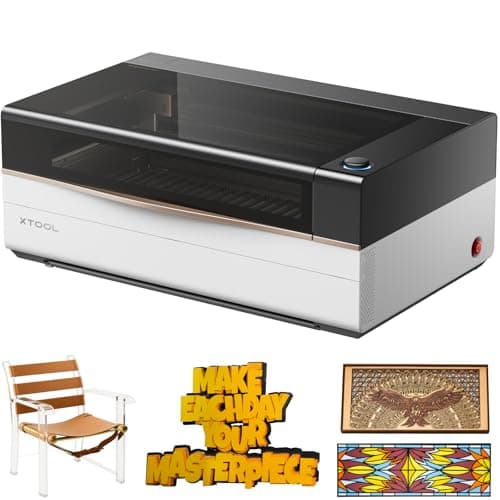
xTool M2 10W Enclosed Laser Engraver

xTool M2 10W Enclosed Laser Engraver

10W, a 16.7 x 12.6 in bed, dual cameras, Class 1, about half the Aura's price.

$498.99rated 4.6/5 in our review

Not sure yet? Compare all 7 picks below ↓

Buy the xTool M2 for most people. At about $499 at the time of writing, it is half the price of the Glowforge Aura ($999), with a 10W laser against the Aura's 6W, a 16.7 x 12.6 in bed against 12 x 12 in, and a rated cut of 8 mm basswood against 1/4 in. Buy the Glowforge Aura if you need its passthrough slot for long pieces or want the most guided software you can get.

That answer covers the machines you can buy on Amazon. The Glowforge Aura is the only Glowforge listed there; the Glowforge Spark and the CO2 Pro and Plus models are sold on Glowforge's own store. We say that plainly rather than swap in a look-alike. For the CO2 matchup (Glowforge Pro HD vs the xTool P-series), see the section below the head-to-head.

If you are still deciding between laser types, start with our best laser engravers guide, which covers diode, CO2, and fiber side by side. If a blade cutter fits your work better than a laser, our cutting machines guide compares Cricut and Silhouette. Every product link goes to Amazon with our affiliate tag; we earn a small commission, at no cost to you, when you buy through us.

Winner for Most CraftersOur Pick

Laser

10W blue diode, 445 nm

Processing area

16.7 x 12.6 in (426 x 320 mm)

Max cut

Up to 8 mm basswood ply (xTool rating)

Cameras

5MP wide + 2MP close-view

Passthrough

No

Safety

Class 1 enclosed

Software

xTool Studio

Weight

12.3 kg (about 27 lb)

Pros

  • About half the price of the Glowforge Aura
  • 10W module and a larger bed than the Aura
  • Dual cameras for drag-and-drop placement
  • Add-on modules: 3W infrared for metal, CMYK inkjet for print-then-cut

Cons

  • No passthrough for long pieces
  • Heavy for a desktop machine
  • Diode: no clear acrylic

On paper and on the bench, the xTool M2 is the better craft laser for the money. Both it and the Glowforge Aura are enclosed Class 1 machines, which means no goggles for bystanders and a lid that stops the job when opened. Both use a blue diode laser. Both have a camera so you can place a design on the material you actually loaded. The difference is how much of each you get: the M2's 10W module and 426 x 320 mm area outclass the Aura's 6W and 12 x 12 in on every job that is not long and narrow.

What the extra watts mean in practice: xTool rates the 10W M2 to cut up to 8 mm basswood plywood; Glowforge rates the Aura to cut material up to 1/4 in (about 6.4 mm). For a crafter that is the difference between cutting 1/4 in ply in one confident pass and cutting it at the edge of the machine's range.

The M2 is also a platform. xTool sells a 3W infrared module (1064 nm) that marks bare metal, and a CMYK inkjet module for print-then-cut stickers and labels, so the same enclosure grows with you. If you know you want the extra headroom now, the M2 20W (about $899 at the time of writing, rated to 10 mm basswood) is the version to buy. Our best laser engravers guide covers the open-frame alternatives if you do not need an enclosure at all.

Our Pick

The xTool M2 wins for most people because it does more than the Glowforge Aura for about half the money. It is an enclosed Class 1 diode laser like the Aura, but with a 10W module against the Aura's 6W, a 16.7 x 12.6 in processing area against the Aura's 12 x 12 in, dual cameras, and a rated cut of up to 8 mm basswood plywood. At about $499 at the time of writing, it is the craft laser we would buy first.

Buy the M2 if you want a safe, lidded laser for a spare room or studio, you work mostly in wood, leather, felt, paper, and dark acrylic, and you would rather spend the Aura's extra $500 on material, a smoke purifier, or a rotary.

What we don't like

No passthrough slot, so every piece has to fit inside the 16.7 x 12.6 in area. It is heavy for a desktop machine at 12.3 kg (about 27 lb). And it is still a blue diode laser: it will not cut clear acrylic, and bare metal needs the separate infrared module.

Winner for Passthrough and SimplicityThe Challenger

Laser

6W blue diode, 450 nm

Max material

12 x 12 in (12 in x unlimited with passthrough)

Max cut

Up to 1/4 in thick

Passthrough

Yes: 12 in wide, 3/8 in tall, any length

Cameras

Wide-angle lid camera + macro head camera

Safety

Class 1 (embedded Class 4 laser)

Software

Web-based Glowforge app; Premium optional

Weight

19 lb

Pros

  • Passthrough slot for long projects, which the M2 lacks
  • The most guided, beginner-friendly software
  • Proofgrade materials load their own settings
  • Lighter than the M2 at 19 lb

Cons

  • About $500 more than the M2 at the time of writing
  • 6W and a 12 x 12 in bed trail the M2
  • Web-only software needs an internet connection

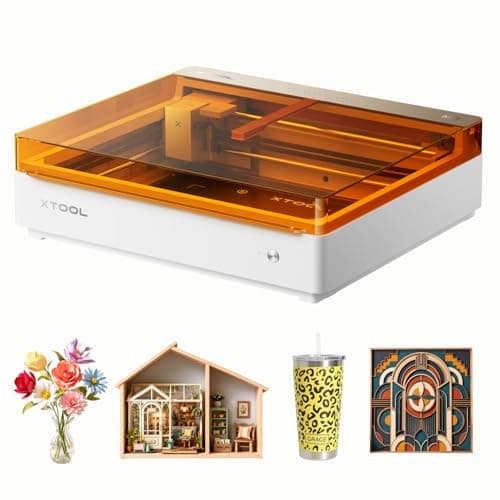
The Glowforge Aura is a consumer appliance first and a laser second, and that is both its appeal and its ceiling. Glowforge built its name on the idea that you should be able to drop material in, see it through the lid camera, drag a design onto it, and press the button. The Aura keeps that promise. Its two cameras (a wide-angle view in the lid and a macro camera on the head that also handles autofocus) make placement feel like arranging a photo, and Proofgrade materials carry a code the machine reads so the power and speed settings are set for you.

The passthrough is the Aura's real advantage. Glowforge's spec sheet lists a slot that accepts material up to 12 in wide and 3/8 in tall with no length limit. The xTool M2 has no passthrough at all. If your work is long and narrow, the Aura does jobs the M2 cannot, regardless of watts.

The trade is capability per dollar. A 6W diode rated to cut 1/4 in material is a craft tool, not a production cutter, and the 12 x 12 in bed is smaller than the M2's in both directions. Glowforge's software runs in a browser and needs an internet connection; the core cutting and engraving is free, and an optional Premium subscription adds design tools, storage, and a large graphics library. If you want the Aura, the Aura with Craft Laser Filter bundle (about $1,379 at the time of writing) is the sensible listing when you have no window near the machine.

The Challenger

The Aura is the only Glowforge sold on Amazon, and it is the easiest craft laser to get from box to first cut. Its 6W diode, 12 x 12 in bed, and 1/4 in cut depth trail the xTool M2, but it has one thing the M2 does not: a passthrough slot that takes material up to 12 in wide, 3/8 in tall, and as long as you like. At $999 at the time of writing, you pay for the passthrough, the polish, and the Proofgrade material ecosystem.

Buy the Aura if you make long pieces (banners, bookmarks in strips, leather straps, long signs), you want the most guided software on the market, or you plan to run mostly Glowforge Proofgrade materials, where the settings are applied for you.

What we don't like

Twice the price of the M2 for less power and a smaller bed. The software is web-based and needs an internet connection. Some design tools sit behind the optional Glowforge Premium subscription. And ventilation is on you: Glowforge requires its filter or an openable window within 8 ft.

Austin Art Insider

Free weekly guide to galleries, exhibitions & collecting in Austin.

The Cheaper Alternative

Laser

10W diode (per listing)

Enclosure

Enclosed, Class 1 (per listing)

Camera

HD camera positioning

Extras

Air assist

Pros

  • Cheapest enclosed camera laser from a major brand
  • 10W and air assist at this price
  • Class 1 enclosure for shared spaces

Cons

  • Smaller accessory ecosystem than xTool
  • Verify the work area on the listing
  • No passthrough claimed

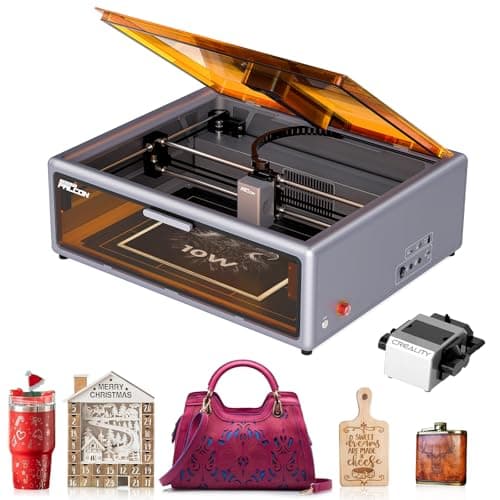
The Falcon A1 is the budget answer to both machines above. Creality made its name making 3D printing affordable, and the A1 applies the same approach to the enclosed craft laser: lid, camera, air assist, 10W, under $500. It gives up some software polish and the add-on module path that makes the xTool M2 a long-term platform. If you are testing whether laser crafting sticks, it is a low-risk way in; if you already know it will, the M2's extra $33 is money well spent.

If the goal is the Glowforge experience (lid, camera, Class 1) for the least money, the Creality Falcon A1 lists a 10W enclosed laser with air assist and HD camera positioning for about $466 at the time of writing. It is the lowest-cost enclosed camera laser from a brand with a real support footprint.

Buy the A1 if your budget stops under $500 and you want an enclosed, camera-guided machine for wood, leather, and dark acrylic crafts.

What we don't like

Creality's laser software and accessory ecosystem is thinner than xTool's, and we could not confirm a bed size from the manufacturer that we would print here. Check the listing's stated work area against your projects.

The Step-Up Diode (Cuts Thick Wood)

Laser

40W blue diode

Working area

19.6 x 12.5 in (498 x 319 mm)

Max cut

18 mm wood, 15 mm black acrylic (one pass, xTool rating)

Safety

Class 1 enclosed

Bundle

Rotary included on this listing

Pros

  • Four times the laser power of the M2 10W
  • Cuts 18 mm wood in a single pass
  • Rotary bundle for tumblers and cups

Cons

  • Pointer positioning, not a camera overview
  • Large footprint
  • No clear acrylic (diode)

If your question is really "which Glowforge cuts thick wood," the answer is neither Glowforge on Amazon, and the S1 is the machine. 40W of diode power changes what a desktop laser is for: 18 mm plywood, thick walnut, and dark acrylic become one-pass cuts rather than multi-pass projects. It is the enclosed laser we recommend in our laser engraver guide for makers who want to buy once, and it needs the same ventilation plan as any laser; our fume extractor guide covers ducting and purifiers.

The S1 is what you buy when the M2 and the Aura both feel underpowered. xTool rates the 40W S1 to cut 18 mm wood and 15 mm black acrylic in one pass across a 19.6 x 12.5 in working area, in a Class 1 enclosure. The listing we link is the rotary bundle at about $1,699 at the time of writing.

Buy the S1 if you cut thick hardwood and plywood regularly, make furniture inlay, signs, or layered wall art, and want diode power without the venting and upkeep of a CO2 tube.

What we don't like

It positions with a red-dot pointer rather than a full camera overview, so placement is less drag-and-drop than on the M2 or Aura. It is still a diode, so clear acrylic is out.

The CO2 Flagship (Glowforge Pro Rival)

Laser

80W CO2

Working area

36 x 18 in (915 x 458 mm)

Cameras

4 (16MP panoramic, close-range, two side)

Focus

LiDAR ranging + AutoLift base

Passthrough

Via optional conveyor feeder

Pros

  • Cuts clear and cast acrylic, which diodes cannot
  • Largest bed in this comparison by far
  • Cheaper than a Glowforge Pro HD with more power

Cons

  • Very expensive
  • Needs ducted ventilation and space
  • Conveyor for long work is extra

The Glowforge Pro and Plus are CO2 lasers, and none of them is sold on Amazon. Glowforge sells its Performance Series (Pro HD at 45W, Plus HD at 40W) through its own store, so if you came here for "Glowforge Pro vs xTool," the Amazon-available comparison is the xTool P-series. The P3's 80W tube and 36 x 18 in bed are in a different class from the Pro HD's 45W, and the four-camera system covers the whole bed. The P3 is a production tool, and it should be ducted outdoors, not filtered; our fume extractor guide explains why.

The P3 is xTool's answer to the Glowforge Pro HD, and it is sold on Amazon where the Pro HD is not. It is an 80W CO2 laser with a 36 x 18 in working area, four cameras, and LiDAR-based autofocus, at about $6,299 at the time of writing. Glowforge lists the 45W Pro HD at $7,999 on its own store.

Buy the P3 if you run a small business on the laser: clear and cast acrylic, large signage, production runs of wood and leather goods, anything where cut speed and bed size are money.

What we don't like

It is a large, expensive machine that needs real ventilation and floor space. Unlimited-length work needs the optional conveyor feeder. And like every CO2 laser, it will not mark bare metal without a coating.

For Metal and Jewelry Personalization

Lasers

5W infrared + 15W diode

Camera

50MP (per listing)

Type

Galvo engraver, portable

Best

Metal marking, fast personalization

Pros

  • Marks bare metal, which the Aura cannot
  • Galvo speed for small-batch personalization
  • Portable for markets and pop-ups

Cons

  • Engraves and marks; not a sheet cutter
  • Open design needs goggles and ventilation

Choose by material before brand. If your work is jewelry, metal tags, and small gifts, a galvo dual-laser machine like the F2 will do in seconds what a gantry laser does in minutes, and its infrared source marks stainless and other bare metals directly. Pair it with a CO2 or diode cutter later if you need to cut sheet goods.

Neither the Aura nor the M2 (without its add-on module) marks bare metal. The xTool F2 pairs a 5W infrared laser with a 15W diode and a 50MP camera in a portable galvo engraver, which makes it the right machine for names on jewelry, tags, knives, and tumblers. About $1,299 at the time of writing.

Buy the F2 if personalization is the business: metal jewelry, pet tags, tools, and small wood and leather goods engraved in seconds rather than minutes.

What we don't like

It is a fast marking machine, not a cutter; do not buy it to cut sheet goods. Open design, so it needs eye protection and a fume plan.

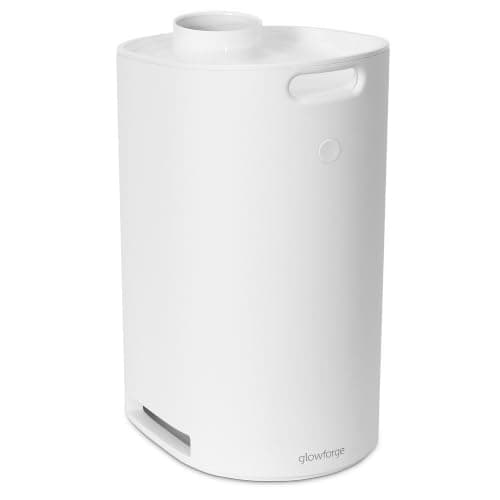
The Aura Add-On If You Have No Window

Works

Glowforge Aura (and Spark, per cartridge listing)

Media

Activated carbon cartridge

Role

Recirculating alternative to window venting

Pros

  • Lets the Aura run in rooms without a window
  • Made for the Aura, no adapters

Cons

  • Replacement cartridges add running cost
  • Venting outdoors is still better

Factor ventilation into the price of either laser. The Aura needs this filter or a window within 8 ft. The xTool M2 needs an exhaust hose to a window or an xTool smoke purifier. With a filter on each, the gap between the two machines stays roughly the same. Our fume extractor guide compares the options, including the case for a cheap inline fan and duct over any filter.

Glowforge requires either this filter or an openable window within 8 ft of the Aura. If your craft room has no window, budget $399 at the time of writing for it, and add that to the Aura's price when comparing it to the xTool M2.

Buy it with an Aura that will sit in an interior room, a closet studio, or anywhere an exhaust hose cannot reach outside.

What we don't like

It uses replacement activated carbon cartridges, an ongoing cost. And a recirculating filter is second best to venting outdoors wherever venting is possible.

Head-to-Head

How the top picks compare

One matchup decides it for most buyers: the enclosed, camera-guided craft lasers each brand sells on Amazon.

xTool M2 vs Glowforge Aura

Both are enclosed Class 1 diode lasers with cameras. The M2 has more power and a bigger bed for half the price; the Aura has passthrough.

xTool M2 10W

xTool

Winner

xTool M2 10W

10W, 16.7 x 12.6 in bed, 8 mm basswood cut, metal module option

$498.99
Check Price →
Glowforge Aura

Glowforge

Glowforge Aura

Passthrough for unlimited-length pieces, easiest software

$999.00
Check Price →

Our verdict

Winner: xTool xTool M2 10W. The xTool M2 wins for most people. It matches the Aura on safety (both Class 1) and camera placement, then beats it on laser power, bed size, rated cut depth, and upgrade path, for about $500 less at the time of writing. The Aura's advantages are real but narrow: a passthrough slot for material of any length up to 12 in wide, a lighter chassis, and the most beginner-proof software available. If you make long pieces or want Proofgrade's automatic settings, pay for the Aura. Otherwise the M2 does more for less.

Buy the xTool

you want the most capability per dollar, a bigger bed, and room to add metal marking or color printing later.

Buy the Glowforge

you make long, narrow pieces that need passthrough, or you want the simplest possible software and Proofgrade materials.

How we
chose

Laser marketing is full of numbers that do not compare cleanly, so here is how we built this page:

  • Manufacturer specs only. Wattage, bed size, cut depth, passthrough, cameras, and safety class come from xTool's and Glowforge's own spec pages. Where a number came only from an Amazon listing, we say "per listing."
  • Like for like. The Glowforge on Amazon is an enclosed Class 1 diode craft laser with a camera, so we compared it with xTool's enclosed Class 1 diode craft laser with a camera, the M2, rather than with a machine in a different class.
  • Total cost, not sticker price. Both machines need ventilation. We counted the filter or purifier you may need, and the optional Glowforge Premium subscription, as part of the decision.
  • No substitutes. Glowforge models not sold on Amazon are named as such. We do not link a look-alike in their place.
  • Verified listings. Every linked product was checked live on Amazon on the day of publication. Laser prices move often, especially around Prime events, so treat them as a snapshot.

Share this guide

Share

Common Questions

Frequently Asked Questions

Have art
to sell?

Austin Gallery specializes in selling inherited art, estate collections, and fine art with zero upfront fees. Get a free evaluation today.