Austin Gallery
Studio & ToolsOctober 17, 2026Updated October 17, 202612 min read

The Best Label Printers for Etsy Sellers (2026): 4x6 Thermal Picks

MUNBYN for value, Rollo for Mac and Wi-Fi, and the DYMO, Zebra, and Phomemo options compared. Cost per label math, Etsy and Pirate Ship setup, and a Brother QL for branding stickers.

By · How we research

★ Our Top Pick

MUNBYN Bluetooth Thermal Label Printer (4x6)

MUNBYN Bluetooth Thermal Label Printer (4x6)

No ink, any labels, prints from Mac, PC, or phone.

$79.99rated 4.5/5 in our review

Not sure yet? Compare all 8 picks below ↓

The best label printer for most Etsy sellers is the MUNBYN Bluetooth 4x6 thermal printer (about $80 at the time of writing): no ink, any brand of labels at about 4 cents each, and it prints from a Mac, PC, or phone. On a Mac or with several people printing, the Rollo Wireless (about $280) adds Wi-Fi and AirPrint. For branding stickers, add a Brother QL-810W.

Every 4x6 thermal printer here prints the same USPS, UPS, and FedEx labels from Etsy, Shopify, eBay, and Pirate Ship. They differ in how they connect, which labels they accept, and how much they cost. The one to avoid unless you already own it is any printer that only takes its maker's labels, because that triples your cost per label.

Below: eight printers compared, a cost per label table with the arithmetic, Rollo vs MUNBYN, and a small-label printer for branding. If you sell art prints, our print selling starter kit covers the rest of the setup, and how to pack and ship art covers what goes in the box. Product links go to Amazon with our affiliate tag; we may earn a small commission at no cost to you.

Best Label Printer for Most Etsy SellersOur Pick

Type

Direct thermal, no ink

Label width

1.57 to 4.25 in (per listing)

Connection

Bluetooth (per listing)

Systems

Mac, Windows, iOS, Android, Chromebook (per listing)

Labels

Any brand, roll or fanfold

Pros

  • About a third the price of the Rollo Wireless
  • Uses cheap third-party labels
  • Prints from a phone as well as a laptop
  • Wide enough for 4x6 shipping and smaller product labels

Cons

  • Bluetooth, not Wi-Fi
  • Print quality is fine for barcodes, not for logo art

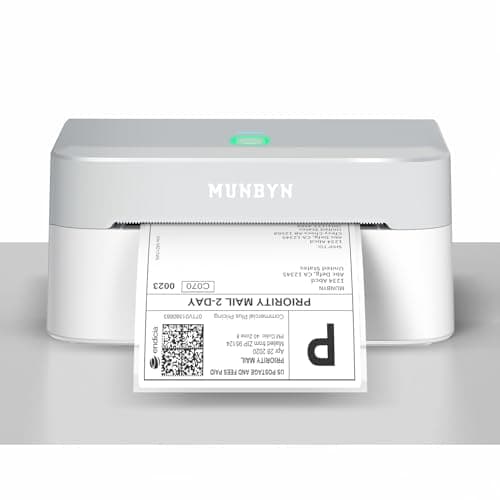
A thermal printer pays for itself in labels and time, and this is the cheapest one from a brand with real support. Thermal printers burn the image into heat-sensitive paper, so there is no ink or toner at all. Labels cost about 4 cents each (the math is below), and a 4x6 label comes out sized and ready to peel, with no cutting or tape.

Etsy setup: in your shop's shipping label options, set the download format to 4x6 label printers, then print the PDF to the MUNBYN at 4 x 6 in. Sellers report that the Etsy Seller app can output a 4x8 file, so print from the desktop site.

Pair it with the MUNBYN 500 fanfold 4x6 labels (about $20 at the time of writing). Our print packaging and shipping supplies guide covers the mailers and boards the label goes on.

Our Pick

For most artists shipping prints and small products, the MUNBYN Bluetooth is the label printer to buy. It prints 4x6 shipping labels with no ink, takes any brand of direct thermal labels from 1.57 to 4.25 in wide, and connects to Mac, Windows, iPhone, Android, and Chromebook per MUNBYN's listing. About $80 at the time of writing.

Buy it if you ship anywhere from a few to a few hundred orders a month from Etsy, Shopify, or Pirate Ship and want to stop buying ink and taping paper labels.

What we don't like

Bluetooth is per device, so two people printing from two laptops is clunkier than with a Wi-Fi printer. Some owners report occasional reconnects after the printer sleeps.
Best for Mac and iPhone (Wi-Fi and AirPrint)Best for Mac

Type

Direct thermal, no ink

Resolution

203 dpi (Rollo)

Label width

1.57 to 4.1 in (Rollo)

Connection

Wi-Fi with AirPrint (Rollo)

Labels

Any brand, Rollo does not lock labels

Pros

  • AirPrint, no driver to install on Mac
  • Shared over Wi-Fi by everyone in the studio
  • Works with any brand of thermal labels

Cons

  • Expensive for what it prints
  • Roll holder is an extra purchase

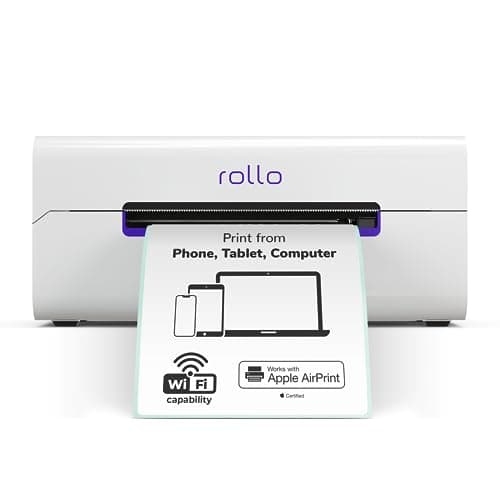
You are paying for Wi-Fi and AirPrint, not for better labels. A shipping label from the Rollo Wireless looks the same as one from the MUNBYN. What changes is setup: there is no Bluetooth pairing and no driver, and any device on your network can print. Rollo states its printers work with Etsy, Amazon, eBay, Shopify, and other marketplaces.

Rollo's own 500 fanfold 4x6 labels and 500 label roll were both about $20 at the time of writing.

Best for Mac

If you work on a Mac or ship from your phone, the Rollo Wireless is the least fussy label printer you can buy. It joins your Wi-Fi and prints through AirPrint, so labels print from Mac, iPhone, and iPad with no driver, and Windows and Chromebook are supported too, per Rollo. 203 dpi, labels 1.57 to 4.1 in wide, about $280 at the time of writing.

Buy it for a Mac-based studio, a shop where two or more people print labels, or anyone who wants to print a label from a phone on the packing table.

What we don't like

It costs three to four times as much as Bluetooth printers that print the same label. The roll holder is sold separately; fanfold stacks feed from behind without one.

Best Wired Label Printer

Type

Direct thermal, no ink

Connection

USB

Systems

Windows and Mac (per listing)

Labels

Any brand, roll or fanfold

Pros

  • Wired connection is the most reliable
  • Pirate Ship has a Mac guide for it
  • Any brand of labels

Cons

  • Driver install on Mac
  • Priced high for a USB printer

Wired printers are boring, which is the point. If you always print from one computer at one packing table, USB removes the only real failure point of Bluetooth printers. Pirate Ship's help center walks through adding the Rollo driver on a Mac and printing its test label.

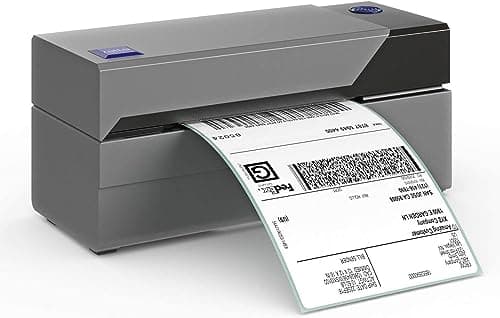
The original Rollo is a USB thermal printer for Windows and Mac, about $200 at the time of writing. It is the one Pirate Ship writes a dedicated Mac setup guide for, and a cable never drops a connection.

Buy it if your labels print from one desktop computer and you want a set-and-forget wired printer.

What we don't like

Needs a driver on Mac and a cable to one computer. At this price, the MUNBYN 941BP below gives you USB and Bluetooth for less.

Austin Art Insider

Free weekly guide to galleries, exhibitions & collecting in Austin.

Best for Sharp Product Labels and Barcodes (300 dpi)Upgrade Pick

Type

Direct thermal, no ink

Resolution

300 dpi (per listing)

Connection

USB and Bluetooth (per listing)

Systems

Windows, Mac, iOS, Android (per listing)

Pros

  • 300 dpi for small text and logos
  • USB and Bluetooth in one
  • Cheaper than either Rollo

Cons

  • Overkill for shipping labels only
  • Black only

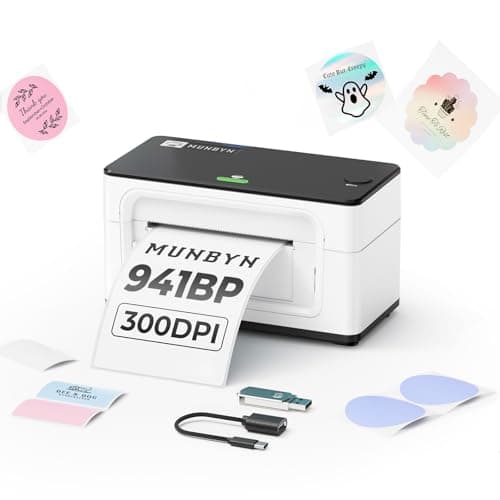
Resolution is the one spec on a thermal printer that changes what you can print. At 203 dpi a 4x6 USPS label is perfectly scannable. At 300 dpi you can also print clean 2 x 1 in product labels with small type, which is useful for print sleeves and sticker packs.

Upgrade Pick

The 941BP prints at 300 dpi instead of the usual 203, and has both USB and Bluetooth, per MUNBYN's listing. About $140 at the time of writing. The extra resolution matters for small text, tiny barcodes, and simple logo labels on product packaging.

Buy it if you print small SKU, price, or product labels as well as shipping labels, or you want USB reliability with Bluetooth as a backup.

What we don't like

For 4x6 shipping labels alone, 300 dpi is wasted. Still one color, black only.

Best for Offices Already Using DYMO

Type

Direct thermal, no ink

Max label width

4 in (retailer listings)

Speed

Up to 53 labels per minute (retailer listings)

Labels

Genuine DYMO only

Pros

  • Label recognition and remaining-count display
  • Compact and quiet
  • Strong DYMO software for address labels

Cons

  • Only DYMO labels work
  • Highest cost per label on this page

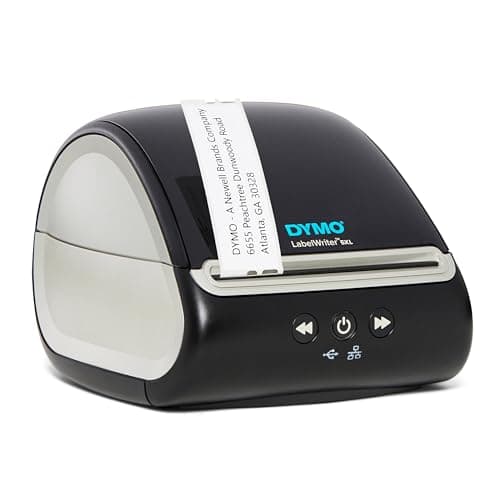
The 5XL is a fine printer with an expensive habit. Genuine DYMO 4x6 labels were about $24.49 for 220 at the time of writing, or about 11 cents each. Over a year of steady shipping, that difference covers the cost of a second printer.

The DYMO 5XL is a well-made 4 in thermal printer with Automatic Label Recognition that shows which labels are loaded and how many remain. The catch: retailers including Stamps.com state it prints only on authentic DYMO labels. About $260 at the time of writing.

Buy it only if your studio already runs DYMO software and labels, or you value the label counter over label cost.

What we don't like

Label lock-in. A 220 count roll of DYMO 4x6 labels costs nearly three times as much per label as generic thermal labels for a Rollo or MUNBYN.

Best Heavy Duty Label Printer

Type

Direct thermal, no ink

Resolution

203 dpi (per listing)

Connection

Bluetooth, Ethernet, USB (per listing)

Warranty

2 years (per listing)

Pros

  • Built for high volume
  • Network and Bluetooth options
  • Any brand of labels

Cons

  • Expensive
  • More complex setup

Most Etsy shops will never need a Zebra. It earns its price when a printer runs every day for years. If you are moving from a few dozen orders a month toward hundreds a week, it is the printer to grow into.

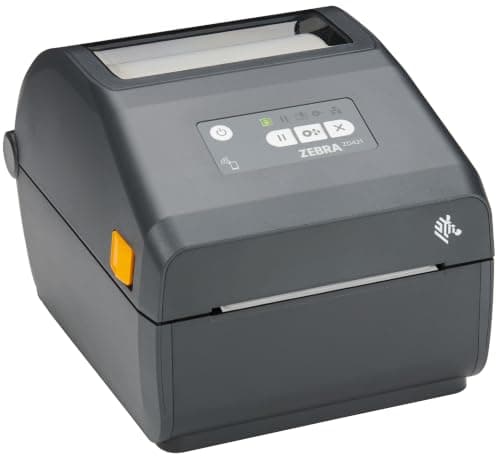
Zebra is the warehouse standard, and the ZD421 is its desktop 4 in printer: 203 dpi direct thermal with Bluetooth, Ethernet, and USB and a two-year warranty, per the listing. About $565 at the time of writing.

Buy it if you ship hundreds of orders a week, print all day, or need a printer that also runs on a networked shipping station.

What we don't like

Two to seven times the price of the other 4x6 printers here for the same label. Setup is aimed at IT staff, not crafters.

Best Budget Bluetooth Label PrinterBest Budget

Type

Direct thermal, no ink

Connection

Bluetooth (per listing)

Systems

iPhone, Android, Windows, Mac (per listing)

Labels

4x6 thermal

Pros

  • Lowest price on this page
  • Phone-friendly app
  • Any brand of 4x6 thermal labels

Cons

  • Lighter build
  • Fewer years of owner history than MUNBYN or Rollo

At low volume, the cheapest thermal printer still beats the best inkjet. If you ship five orders a week, this printer and a stack of generic 4x6 labels are all you need. Phomemo also sells the 241BT (about $70 at the time of writing), the same idea with a longer track record.

Best Budget

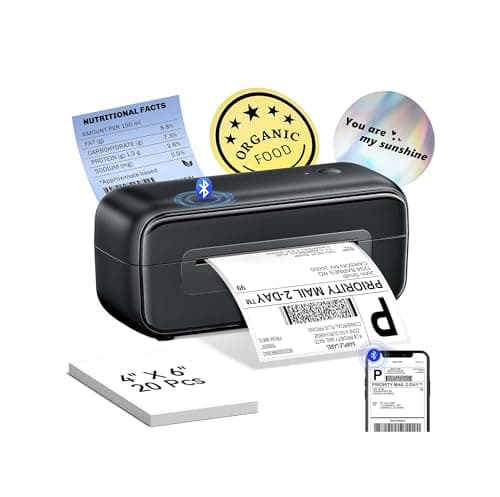
The Phomemo 246SBT is the cheapest credible 4x6 Bluetooth thermal printer we found, about $50 at the time of writing, listed for iPhone, Android, Windows, and Mac. It is a good fit for a shop that ships a handful of orders a week.

Buy it if you ship a few orders a week and want to stop taping paper labels for the least money.

What we don't like

Lighter build than MUNBYN or Rollo. Phomemo's app is the smoothest path; desktop setup can take more trial and error.

Best for Branding Stickers and Product LabelsFor Branding

Type

Direct thermal (Brother DK rolls)

Max label width

2.4 in

Color

Black, or black and red on two-color rolls

Connection

USB and Wi-Fi (per listing)

Speed

Up to 110 labels per minute (Brother listing)

Pros

  • Clean small labels for branding
  • Black and red option
  • Pre-sized die-cut rolls, no cutting

Cons

  • Not a shipping label printer
  • Proprietary DK rolls

This is a branding tool, not a shipping tool. Load DK-2205 continuous 2.4 in tape (about $26 for 100 ft at the time of writing) and print any length, or DK-1201 address labels (about $14) for return addresses. The wired QL-800 (about $125) prints the same labels over USB only. For full-color die-cut stickers, you need an inkjet and a cutter instead; see our best printers for stickers guide.

For Branding

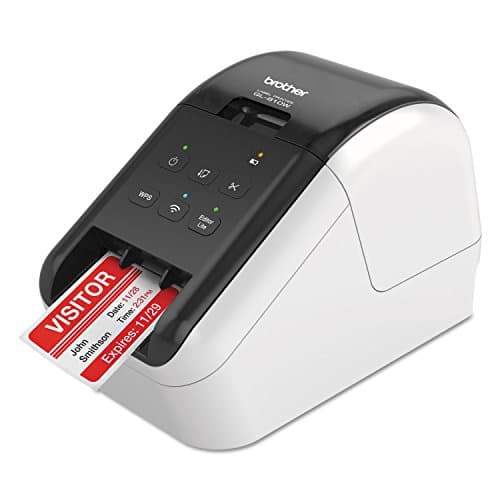
A 4x6 printer makes shipping labels; a Brother QL makes the small labels that make a package look like a brand. The QL-810W prints on Brother DK rolls up to 2.4 in wide, in black and red on two-color DK rolls, over USB or Wi-Fi, and Brother lists up to 110 labels per minute. About $170 at the time of writing.

Buy it alongside a 4x6 printer if you want thank-you stickers, return address labels, print edition labels, or backing board labels with your shop name.

What we don't like

It cannot print 4x6 shipping labels; the QL-810W tops out at 2.4 in wide. Brother DK labels cost more than generic thermal rolls.

Head-to-Head

How the top picks compare

The two printers most Etsy sellers end up choosing between.

Rollo Wireless vs MUNBYN Bluetooth

Same labels, same print. Wi-Fi and AirPrint vs Bluetooth and a $200 lower price.

MUNBYN Bluetooth

MUNBYN

Winner

MUNBYN Bluetooth

Same 4x6 label for about $200 less

$79.99
Check Price →
Rollo Wireless

Rollo

Rollo Wireless

Wi-Fi and AirPrint, no pairing or driver

$279.99
Check Price →

Our verdict

Winner: MUNBYN MUNBYN Bluetooth. The MUNBYN wins for most solo sellers. It prints the same label on the same cheap stock, and the $200 saved buys about 5,000 labels. The Rollo Wireless is worth it when several people or devices print, or when you want AirPrint on a Mac without pairing.

Buy the MUNBYN

you are one person printing from one laptop or phone.

Buy the Rollo

you run a Mac studio or several people print labels.

How we
chose

We did not run these printers ourselves. Here is how we picked them:

  • Specs from the maker. Resolution, label widths, and connection come from Rollo's spec sheet and the manufacturers' listings, labeled "per listing" where that is the only source.
  • Cost per label, not just printer price. We divided live label prices by label counts, and flagged printers that lock you into one brand of labels.
  • Platform fit. We checked Etsy's 4x6 label format option, Pirate Ship's printer guides, and Mac support for each printer.
  • Credible brands. We stuck to Rollo, MUNBYN, DYMO, Zebra, Phomemo, and Brother, which have support sites and multi-year track records, and skipped unbranded clones.
  • Live listings and prices. Every product was checked live on Amazon on the day of publication. Prices change, so treat them as a snapshot.

Share this guide

Share

Common Questions

Frequently Asked Questions

Have art
to sell?

Austin Gallery specializes in selling inherited art, estate collections, and fine art with zero upfront fees. Get a free evaluation today.