Austin Gallery
Studio & ToolsSeptember 30, 2026Updated September 30, 202614 min read

The Best DTF Printers for Small Apparel Businesses (2026)

Six DTF printers from Procolored, xTool, and a DIY Epson route, plus the oven, powder, film, ink, and heat press you need, what a transfer costs, and the white ink maintenance nobody warns you about.

By Austin Gallery · How we research

★ Our Top Pick

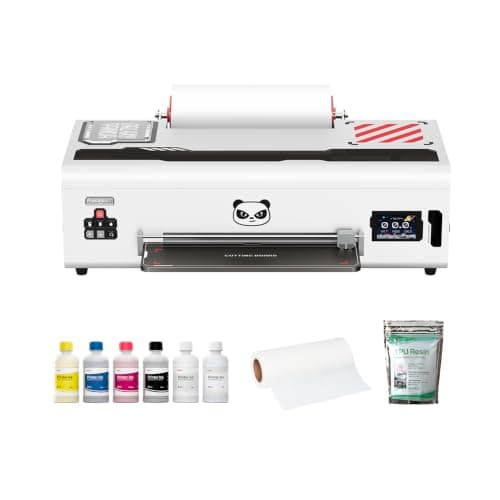
Procolored K13 Lite 13 in A3 DTF Printer

Procolored K13 Lite 13 in A3 DTF Printer

13 in wide with white ink circulation and auto cleaning.

$1,999.00rated 4.5/5 in our review

Not sure yet? Compare all 12 picks below ↓

The best DTF printer for most small apparel and merch businesses is the Procolored K13 Lite (about $1,999 at the time of writing): 13 in wide, automatic white ink circulation and cleaning, and a desk-sized body. Step up to the Procolored F13 Panda with oven (about $2,799) for roll-fed gang sheets, or the xTool Apparel Printer Plus (about $4,999) when speed is the bottleneck.

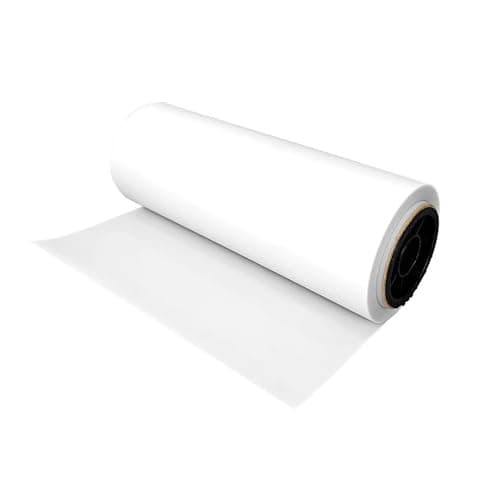
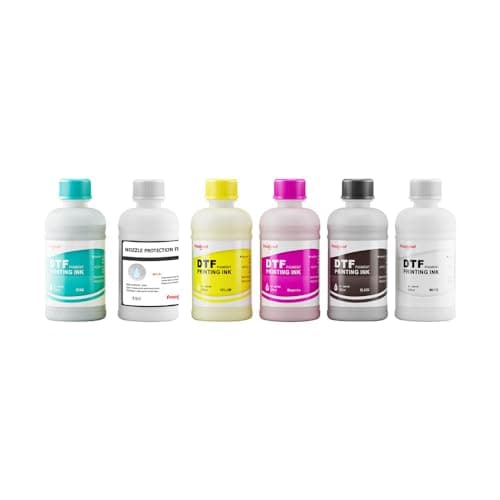
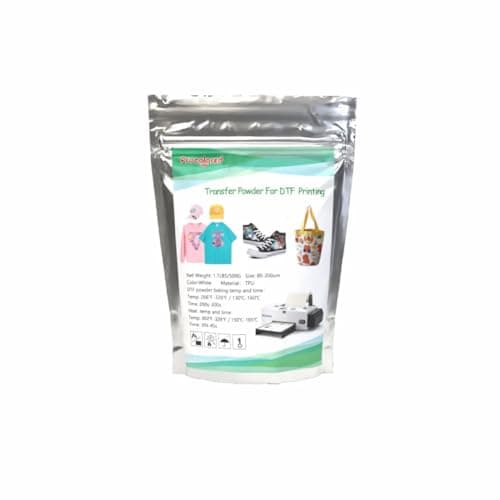
DTF, direct to film, prints your design in color plus a white underbase onto PET film, coats it with adhesive powder, cures it, and heat presses it onto almost any fabric: cotton, polyester, blends, denim, canvas. That flexibility is why it has taken over small-shop apparel. The catch is that a DTF printer is a system. You also need an oven or shaker, a heat press, film, ink, and powder, and a daily maintenance habit to keep the white ink flowing.

Below: six printers from the K13 Lite to a DIY Epson conversion, the six accessories and consumables you need, a full setup cost, a cost-per-print worked from listed prices, and the maintenance and ventilation realities. Every product link goes to Amazon with our affiliate tag; we earn a small commission, at no cost to you, when you buy through us.

Best DTF Printer for Most Small ShopsOur Pick

Print width

13 in (A3)

Resolution

Up to 1440 x 1440 DPI

Inks

CMYK + White

White ink

Automatic circulation

Weight

About 40 lb

Size

29.1 x 12.6 x 9.1 in

Pros

  • Maintenance features aimed squarely at white ink clogging
  • 13 in width covers adult shirt fronts
  • Desk-sized and relatively light
  • Large supply of compatible Procolored film, ink, and powder

Cons

  • Oven, press, and consumables are extra
  • Software is Windows-first
  • Idle weeks are still hard on the white channel

DTF success is mostly about the white ink, and the K13 Lite is built around it. DTF prints color onto a PET film, backs it with a layer of white, dusts it with hot-melt adhesive powder, cures it, and presses it onto the garment. White ink is heavy with titanium dioxide and settles fast, which is why DTF printers clog. The K13 Lite circulates white ink automatically and adds scheduled auto cleaning, so a Monday morning does not start with a nozzle check full of gaps.

What sets the K13 Lite apart from converted printers: it is designed as a DTF printer rather than a photo printer refitted with DTF ink. Procolored also claims G7 color calibration and an infrared printhead safeguard that watches for film curl and debris, which matters because a film edge that lifts can strike the head.

Budget honestly around it. The printer is roughly two thirds of a starter setup; add a curing oven (about $599 for Procolored's), a heat press (about $236 for the HTVRONT auto press below), and a first round of film, ink, and powder at around $336. That puts a working K13 Lite shop at about $3,170 before blank shirts. If you already own a press from our heat press guide, subtract it.

Our Pick

The K13 Lite is the DTF printer we would start a small shirt or merch business on. It prints 13 in wide at up to 1440 x 1440 DPI in CMYK plus white, runs automatic white ink circulation (Procolored says every 30 minutes) and auto cleaning, and fits on a desk at about 40 lb. About $1,999 at the time of writing.

Buy the K13 Lite if you are starting DTF for a small apparel, tote, or hat business and want a printer designed around reducing white ink clogs, from the brand with the largest DTF presence on Amazon.

What we don't like

You still need an oven or shaker, a heat press, film, powder, and ink on top of the printer. Procolored's own software is Windows-focused. And like every DTF printer, it needs to be run regularly or the white channel will still give you trouble.
Required Accessory: Heat Press

Platen

15 x 15 in

Operation

Auto press and release

Pros

  • Consistent pressing
  • Auto release
  • Fits most shirt designs

Cons

  • 15 in platen limits oversized prints

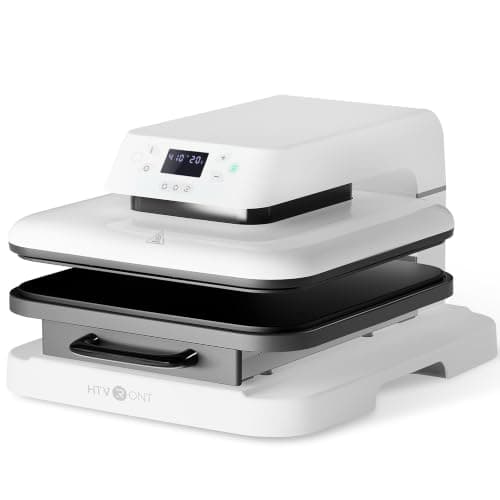
A handheld iron-on press is the wrong tool for DTF. You want a clamshell or auto press. If you print oversized designs, the VEVOR 16 x 20 in press (about $230 at the time of writing) is the larger manual option, and a pack of PTFE cover sheets (about $8) protects the platen. Our heat press guide compares more.

DTF transfers need even heat and firm pressure to bond. The HTVRONT auto press closes and releases on its own, so press time is consistent shirt to shirt, and a 15 x 15 in platen fits adult fronts. About $236 at the time of writing.

Anyone starting DTF without a press.

What we don't like

15 x 15 in is tight for oversized prints; the manual VEVOR 16 x 20 in press linked below is the bigger option.

Best for Steady Production (Roll Feeder, Oven Included)Upgrade Pick

Print width

13 in (330 mm)

Printhead

Epson L1800

Inks

CMYK + WW

Speed (Procolored)

About 10 min per letter-size print at max quality

Ink use (Procolored)

About 3.75 ml per letter-size print

Includes

Oven

Pros

  • Roll feeder for gang sheets
  • Two white channels for opaque underbase
  • Oven included in this listing

Cons

  • Bigger and heavier
  • Semi-automatic cleaning
  • Slow at top quality

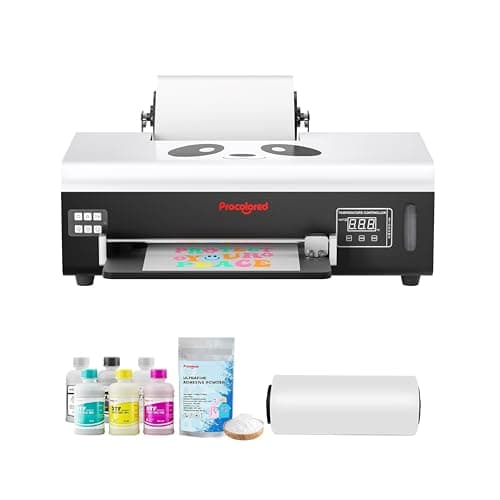
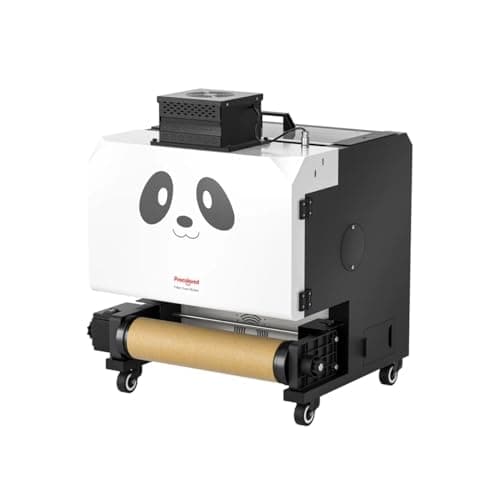
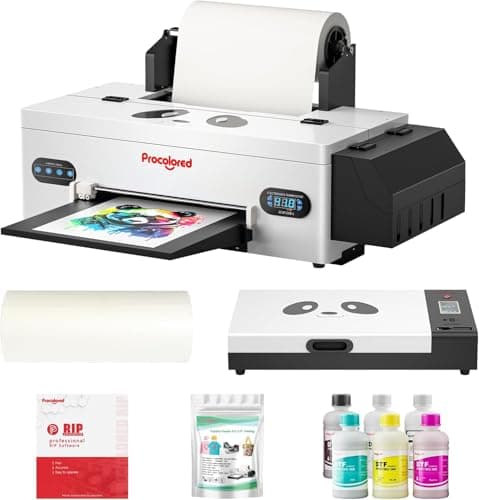
The F13 Panda is the step to take once orders are steady. The roll feeder lets you print a long gang sheet of logos and designs and cut them apart after curing, which is how most small shops actually work. Procolored's published ink figure (about 3.75 ml per letter-size print) is also the most useful number in this whole category for pricing your transfers; we use it in the cost section below.

Upgrade Pick

The F13 Panda is Procolored's roll-fed L1800 printer, sold here with an oven. It prints 13 in wide at up to 1440 x 1440 DPI with a doubled white channel (CMYK + WW), white ink circulation, and semi-automatic cleaning. About $2,799 at the time of writing with the oven.

Buy the F13 Panda if you are printing gang sheets of transfers on a roll every week and want the oven in the same box.

What we don't like

Heavier and larger than the K13 Lite (about 44 lb, 33 x 15 x 11.8 in per Procolored). Cleaning is semi-automatic, so there is still hands-on maintenance. Procolored lists about 6 letter-size prints per hour at top quality.

Austin Art Insider

Free weekly guide to galleries, exhibitions & collecting in Austin.

Best Fast Printer for Growing ShopsAlso Great

Printheads

Dual Epson I1600

Print width

14 in

Inks

CMYK + WWWW

Speed (xTool)

Up to 50 sq ft/hr at 720 x 1200 DPI

Max resolution

720 x 1800 DPI

Pros

  • Dual heads, much faster output
  • 14 in width
  • Four white channels

Cons

  • Printer only in this listing
  • About $5,000

Buy speed when speed is the bottleneck. A single L1800 head at top quality is measured in minutes per sheet; dual I1600 heads are measured in square feet per hour. If you are turning away orders or selling gang sheets to other decorators, the xTool earns its price. If you are printing 20 shirts a week, it does not.

Also Great

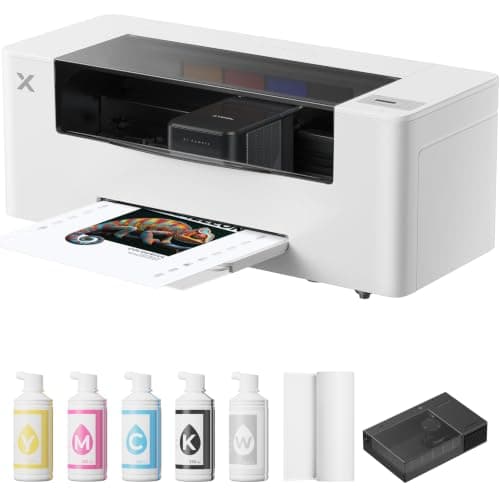
The xTool Apparel Printer Plus is the fastest printer here: dual Epson I1600 heads, 14 in print width, CMYK plus four white channels, and xTool rates it up to 50 sq ft per hour at 720 x 1200 DPI. About $4,999 at the time of writing for the standalone printer.

Buy the xTool if you have outgrown a single-head printer, are selling transfers as well as shirts, or want xTool's support network behind the machine.

What we don't like

This listing is the printer alone, so budget separately for curing. It costs about 2.5 times the K13 Lite, which only pays off at real volume.

Best Small-Format DTF PrinterBudget Pick

Print width

8.2 in (A4)

Printhead

Epson L800

White ink

Circulation

Feed

Roll feeder

Includes

Ink and film

Pros

  • Smaller footprint
  • Ink and film included
  • Roll feeder

Cons

  • No full-front adult prints
  • Only $400 below the K13 Lite

Buy the F8 for small prints only. Hats, pocket logos, and patches fit comfortably; a 12 in wide chest graphic does not. Most new shops end up wanting 13 in, which is why the K13 Lite is our pick.

Budget Pick

The F8 is the smaller Procolored: 8.2 in wide on an L800 head with white ink circulation and a roll feeder, bundled with ink and film. About $1,599 at the time of writing.

Buy the F8 if your products are left-chest logos, hats, kids' shirts, patches, and totes rather than full adult fronts.

What we don't like

An 8.2 in width rules out most full-front adult designs. At $400 less than the K13 Lite, the savings are small for the lost width.

Converted Epson Body, A3

Print width

13 in

Base

Epson R1390 mechanism

White ink

Circulation

Connection

USB

Pros

  • 13 in width for $1,599
  • White ink circulation

Cons

  • Limited brand support
  • Specs mostly from the listing

Converted printers are how DTF got cheap, and also why DTF has a clogging reputation. This one adds circulation, which helps. Before you buy any lesser-known DTF brand, check that replacement dampers, capping stations, and heads are actually sold, because you will need them.

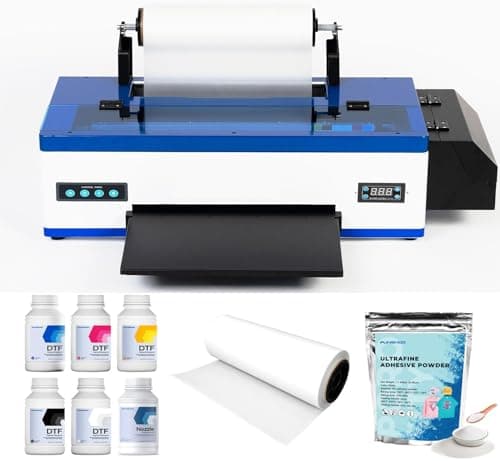
Many A3 DTF printers on Amazon are Epson photo printer mechanisms (R1390, L1800) refitted with DTF ink systems. This PUNEHOD is one of them: 13 in width, white ink circulation, and USB, for about $1,599 at the time of writing.

Consider it only if the budget tops out at $1,600 and you want 13 in width; you are trading brand support for price.

What we don't like

A smaller brand with a thinner support and parts record than Procolored or xTool. The R1390 mechanism is an older Epson design, and we could not find independent manufacturer specs beyond the listing.

The DIY Route: Convert an Epson EcoTank

Max sheet width

13 in

Tanks

6

White circulation

None

Warranty

Voided by third-party DTF ink

Pros

  • Lowest cost of entry
  • Widely documented conversion

Cons

  • Voids warranty
  • No white circulation
  • Needs separate RIP software

This is a test bench, not a business printer. Converters fill the tanks with DTF color ink and a white ink such as Procoloredfun DTF white ink (about $59 at the time of writing). It works, and plenty of shops started this way, but the white ink sits in lines with nothing moving it. Print something every day or expect cleanings that burn ink. For regular art prints rather than transfers, the stock ET-8550 is excellent; it appears in our home printers for art guide.

The cheapest real route into DTF is a new Epson ET-8550 (about $690 at the time of writing) filled with DTF ink instead of Epson ink, run through a RIP program. It prints up to 13 in wide sheets and has six ink tanks, which makes it the popular conversion printer.

Only for tinkerers who want to test demand before spending $2,000, and who accept voiding the Epson warranty.

What we don't like

No white ink circulation, so you must agitate and print daily or the white channel settles. Putting DTF ink in it voids Epson's warranty. You also need RIP software, which is sold separately.

Required Accessory: Curing Oven

Role

Cures powdered transfers

Pairs

Procolored A3 printers

Pros

  • Even cure, fewer ruined transfers
  • Matched to Procolored film sizes

Cons

  • Needs ventilation
  • Sheet at a time

Do not skip the oven. Under-cured powder is the most common reason DTF transfers crack or peel after washing. Some people cure by hovering a heat press, and it can work, but an oven is repeatable.

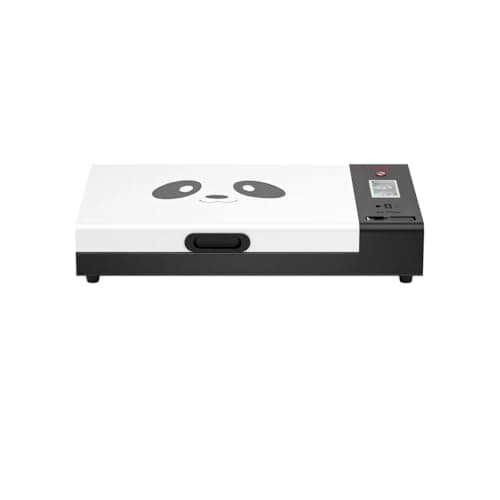
After powdering, the adhesive has to melt evenly before pressing. A dedicated oven does that without the hot spots and film scorching you get from hovering a heat press. About $599 at the time of writing.

Anyone buying a DTF printer without an oven in the box.

What we don't like

Curing gives off fumes, so the oven must sit where you can ventilate. It is a sheet-at-a-time step.

Production Accessory: Powder Shaker and Dryer

Role

Powder, shake, and cure inline

Pairs

Roll-fed DTF printers

Pros

  • Hands-off powdering
  • Consistent coverage
  • Less powder mess

Cons

  • About $1,800
  • Needs ventilation and floor space

This is the second purchase, not the first. Start by hand powdering into a tray and curing in the oven. Once you are printing long gang sheets every day, a shaker saves hours and keeps powder off every surface in the room.

A shaker takes the printed film straight off a roll printer, applies powder, shakes off the excess, and cures it in one pass. About $1,799 at the time of writing, which only makes sense once you print on rolls daily.

Shops running a roll-fed printer like the F13 Panda every day.

What we don't like

Costs almost as much as the K13 Lite. Hand powdering and an oven do the same job for low volume.

How we
chose

How we chose these printers and accessories:

  • Real brands first. DTF on Amazon is crowded with converted Epson printers under dozens of names. We favored brands with published specs and a visible support and parts supply (Procolored, xTool), and labeled converted machines as exactly that.
  • White ink handling. Clogged white channels are the top reason DTF printers get abandoned, so white circulation and cleaning features weighed heavily.
  • The whole system. We priced the oven, press, and consumables alongside each printer, because the printer alone does not make a transfer.
  • Manufacturer numbers only. Print widths, heads, resolutions, speeds, and ink use come from Procolored, xTool, and Epson. Where only the listing describes a product, we say so.
  • Cost math shown. Our cost per print uses published ink consumption and listed consumable prices, with the arithmetic on the page so you can redo it with your own numbers.
  • Verified listings. Every price was checked against the live Amazon listing on the day of publication.

Quick Shop

All Products at a Glance

Every product in this guide, with direct links to current prices.

Share this guide

Share

Common Questions

Frequently Asked Questions

Have art
to sell?

Austin Gallery specializes in selling inherited art, estate collections, and fine art with zero upfront fees. Get a free evaluation today.