Reference · October 2026
Sublimation time and temperature chart
Press settings for 13 sublimation blanks in Fahrenheit and Celsius, with time and pressure, taken from the printer, blank, and press makers that publish them. Where two sources disagree, both numbers are here.
By Travis Moher · Published October 28, 2026
Most sublimation blanks press at 380 to 400°F (193 to 204°C). Polyester shirts take 400°F for 35 to 40 seconds at medium pressure, ceramic mugs take 350 to 400°F for 150 to 210 seconds in a mug press, and hard panels run 50 to 120 seconds depending on the maker. Slate is the outlier at 400°F for a full 8 minutes. Sawgrass, the sublimation printer and ink maker, calls its own chart a starting place only, and that applies to every number below: run one test blank before a batch.
Sublimation settings by blank
| Blank | °F | °C | Time | Pressure | Source |
|---|---|---|---|---|---|
| Polyester shirt (100% poly fabric) | 400 | 204 | 35 to 40 sec | Medium (40 psi) | Sawgrass |
| Performance poly shirt (Vapor Apparel) | 375 to 390 | 191 to 199 | 35 to 55 sec | Light to medium | Sawgrass, Joto |
| Mousepad (polyester top) | 400 | 204 | 45 sec | Medium (40 psi) | Sawgrass |
| Ceramic mug, mug press | 350 to 400 | 177 to 204 | 150 to 210 sec | Medium (40 psi) | Sawgrass |
| Frosted glass mug, mug press | 360 | 182 | 120 sec | Light | Joto |
| Ceramic mug, convection oven | 375 to 400 | 191 to 204 | 12 to 18 min | Mug wrap | Joto |
| Steel tumbler, tumbler or mug press | 355 to 375 | 179 to 191 | 50 to 65 sec | Light to medium | JPPlus |
| Steel tumbler, convection oven | 320 to 380 | 160 to 193 | About 5 to 7 min | Shrink sleeve or wrap | JPPlus |
| Ceramic tile (flat) | 400 | 204 | 300 to 720 sec | Medium (40 psi) | Sawgrass |
| Aluminum panel (ChromaLuxe / Unisub) | 380 to 400 | 193 to 204 | 50 to 120 sec | Medium to heavy | JPPlus, Unisub, Sawgrass |
| Glass (flat) | 400 | 204 | 300 to 720 sec | Medium (40 psi) | Sawgrass |
| MDF (Unisub) | 380 to 400 | 193 to 204 | 70 to 90 sec | Medium to heavy | JPPlus |
| Hardboard (Unisub) | 380 to 400 | 193 to 204 | 60 to 70 sec | Medium to heavy | JPPlus |
| Hat (100% poly trucker, cap press) | 356 | 180 | 50 sec | Not stated | Sign Depot |
| Puzzle (sublimation blank) | 385 to 400 | 196 to 204 | 45 to 60 sec | Firm | Laser Reproductions |
| Photo slate | 400 | 204 | 480 sec (8 min) | Light, hot peel | Joto |
°F values and times are as published by each source. °C values are our conversion of the °F figure, rounded to the nearest degree; Unisub prints 385°F as 195°C on its own sheet. Medium pressure on the Sawgrass chart is 40 psi. The hat row comes from a single blank supplier (Sign Depot) and is the least corroborated line on this chart. Full source list at the bottom of the page.
Before you press a batch
Every source on this page says some version of the same thing: these are starting points, and your press, printer, ink and paper all move the result. JPPlus adds a useful tip: after the press reaches temperature, close it empty for 3 to 5 minutes so the bottom platen heats up too. Change time before you change temperature, and change one thing per test.
Where the sources disagree
Sublimation charts on the web often print one number per blank. The manufacturer sheets do not agree that neatly, so here is who says what.
| Blank | Who says what | What to do with it |
|---|---|---|
| Aluminum panels | JPPlus Unisub/ChromaLuxe sheet: 380 to 400°F, 50 to 80 sec, medium to heavy. Sawgrass: 400°F, 60 sec, medium (Unisub metal). Unisub White Gloss panel sheet: 385°F with strong pressure, 1:30 to 1:35 for panels up to 30 cm and 1:45 to 2:00 for 30 to 50 cm. | Unisub says its longer times apply only to prints from a desktop Sawgrass printer. Start at your panel maker's sheet, then test. |
| Ceramic mugs, oven | Joto 13 oz enamel mug: 375°F for 18 minutes. Joto two-tone mug: 400°F for 12 to 15 minutes. | Same distributor, two mugs, different numbers. Mug wall thickness and glaze drive the time. |
| Steel tumblers, oven | JPPlus steel tumbler sheet: 320 to 330°F for 6 to 7 minutes. JPPlus stemless steel wine cup sheet: 370 to 380°F for about 5 minutes. | A 50°F gap within one supplier. Use the sheet for your exact blank. |
| Polyester shirts | Sawgrass: 400°F, 35 to 40 sec, pre-press 3 to 5 sec. Joto (Vapor performance fabric): 375°F for 35 sec to reduce press lines. | Lightweight performance knits are run cooler to avoid shine and press marks. |
| Mugs, press | Sawgrass: 150 to 210 sec at 350 to 400°F, and notes time varies with the press. | Mug presses vary widely in real platen temperature. Check yours with a surface thermometer. |
Mugs and tumblers: press vs convection oven
A mug press clamps a heated wrap around the blank, so times are short: 150 to 210 seconds for a ceramic mug on the Sawgrass chart and 50 to 60 seconds for a JPPlus steel tumbler in a constant-temperature press. JPPlus lists a separate setting for presses with an idle temperature: 250°F idle, 360 to 375°F press, 30 to 40 seconds. Steel tumblers go straight into room temperature water afterward to stop the transfer.
A convection oven heats the whole blank through a shrink sleeve or silicone wrap, so times run in minutes: about 5 to 7 minutes for steel drinkware and 12 to 18 minutes for ceramic mugs on the sheets we found. Glass is the exception to the water dunk: Joto's frosted glass mug sheet says to let it cool on the table.
The Cricut Mug Press is different from both. Cricut says it has no manual temperature or pressure settings, so you do not set a number at all. It only accepts straight-wall mugs of 11 to 16 oz with an 82 to 86 mm diameter. For everything Cricut makes, the settings live in the Cricut Heat Guide, which gives time and temperature once you pick your press, material, and base.
What you need
The press, the paper, and the two small things that prevent most ruined blanks. Affiliate links, so we may earn a commission at no cost to you. Prices are what Amazon listed on October 28, 2026.
 Fancierstudio 15x15 Sublimation Heat Press (FS15x)A 15 x 15 in digital press: big enough for shirts, mousepads, tiles, panels and slate. (about $179.99)Check price →
 Cricut Mug PressNo manual temperature or pressure settings, per Cricut. It takes straight-wall 11 to 16 oz mugs with an 82 to 86 mm diameter. (about $142.49)Check price →
 PYD Life 20 oz / 30 oz Tumbler Heat PressA dedicated tumbler press for 20 and 30 oz skinny tumblers, the format the JPPlus tumbler settings above are written for. (about $135.36)Check price →
 Cricut Strong Heat Resistant Tape (3 ct)Ghosting is a paper-movement problem. Heat tape is the fix. (about $11.92)Check price →
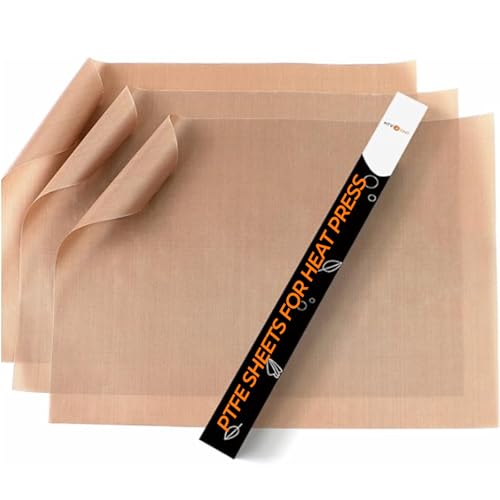 HTVRONT PTFE Sheets for Heat Press (3 pack)A cover sheet keeps gassed ink off your platen. Skip it on slate: Joto says to use plain paper there instead. (about $5.69)Check price →
 A-SUB Sublimation Paper 8.5 x 11 in (110 sheets, 125g)Letter-size 125g sublimation paper for desktop sublimation printers. (about $19.99)Check price →
Panels, tiles, slate and MDF
Hard blanks press face down (transfer side down on the bottom platen) or face up with the transfer on top, depending on the sheet, and the instructions are specific enough that it pays to read them. Sawgrass presses ceramic and glass tiles from the back, transfer side down into a silicone pad. JPPlus presses Unisub MDF, hardboard, and aluminum with the transfer on top between two sheets of blowout paper or Teflon. Every Unisub sheet says to peel the protective film or masking off first.
Slate needs the most care. Joto's sheet calls for 400°F for 8 minutes at light pressure, two sheets of plain paper under and over the slate, a Nomex felt pad, and no Teflon sheet, with an immediate hot peel. The slate must never touch the heat platen directly.
Free to use
Put this chart on your site
Running a craft shop, a makerspace, or a sublimation class? Copy the snippet below to embed a quick-reference sublimation chart on your own page. It is self-contained and renders anywhere. The only ask is that you keep the small credit link back here.
Click inside the box, select all (⌘A / Ctrl-A), and copy. Settings credited to Sawgrass, Unisub, JPPlus and Joto.
Troubleshooting: ghosting, fading, scorch and blowouts
| Problem | Likely cause | Fix |
|---|---|---|
| Ghosting (a faint double image) | The paper moved during the press or while you opened it. | Tape the transfer down with heat tape, open the press slowly, and lift the paper straight off without sliding it. Sawgrass suggests tack spray and a blow-out sheet on fabric. Joto warns that a shifting sheet is what creates the ghost. |
| Faded or light image | Not enough time, heat, or pressure, or the press is not reaching its set point. | JPPlus lists all four causes, plus printing on the wrong side of the paper. Raise time first, then temperature, and verify the platen with a thermometer. |
| Dull or muddy colors | Overpressing, or the wrong print profile. | JPPlus says to reduce time or temperature and confirm the correct paper type and color profile were selected before printing. |
| Brown or yellow scorch on polyester | Too hot or too long for that fabric. | Drop toward the low end of the fabric's range. Sawgrass runs Vapor performance fabric at 380 to 390°F rather than 400°F, and Joto runs it at 375°F for 35 sec. |
| Blowout (blurry halo past the design edge) | Ink gassing sideways from moisture or excess pressure. | Pre-press shirts 3 to 5 sec to drive out moisture (Sawgrass), use blow-out paper, and back off pressure. On puzzles, Laser Reproductions puts a piece of cardboard under the blank to prevent gassing. |
| Press lines on shirts | The platen edge and the paper edge leave impressions. | Joto recommends lower heat and pressure with a longer dwell, a 45 degree bevel on the press pad, and paper larger than the platen. |
Ready to shop?
The chart only works if the press holds temperature and the printer lays down real sublimation ink. Our ranked picks:
How to dial in a new blank
- Find the blank maker's sheet. If there is none, start from the matching row above.
- Check your press with a surface thermometer. A press that reads 400°F on the display is not always 400°F at the platen.
- Pre-heat the bottom platen by closing the press empty for a few minutes (JPPlus).
- Mirror the print where the sheet says to, tape it down, and add blowout paper or a cover sheet.
- Press one blank at the low end of the time range. Too light: add time. Dull or muddy: take time away.
- Write the winning setting on the blank's box. It will not match the next brand.
Choosing a press in the first place? Our heat press guide covers clamshell, swing-away, and portable presses, and our sublimation printer guide covers Sawgrass and converted Epson setups.
Sources
- Sawgrass, Sublimation Heat Press Settings quick reference guide. Mugs, polyester fabric, Vapor Apparel, mousepads, metal, Unisub products, and glass or ceramic tiles.
- JPPlus, Unisub/ChromaLuxe Products sublimation sheet (Feb 2023). Aluminum, MDF, hardboard, FRP and phenolic times; platen pre-heat tip; fading and dull color troubleshooting.
- Unisub (Universal Woods), ChromaLuxe White Gloss Aluminum Panel instructions. 385°F, strong pressure, size-based times for desktop Sawgrass prints.
- JPPlus, Sublimatable Steel Tumblers sheet and JPPlus, 12 oz Stainless Steel Stemless Wine Cup sheet. Mug press and convection oven settings for steel drinkware.
- Joto Imaging Supplies sheets: Sublimable Slate, Glass Mugs, Two Tone Mugs, 13 oz Enamel Mug, and Sublimation Paper booklet.
- Laser Reproductions, Puzzle Transferring Instructions. 385 to 400°F, 45 sec to 1 min, firm pressure.
- Sign Depot, Sublimation Trucker baseball cap. 180°C for 50 sec in a cap press.
- Cricut, Mug Press product page and Cricut Heat Guide. Mug Press compatibility and the fixed-setting design.
Questions
What temperature do you sublimate a polyester shirt at?
400°F (204°C) for 35 to 40 seconds at medium pressure is Sawgrass's starting point for 100% polyester fabric, with a 3 to 5 second pre-press to drive out moisture. Lightweight performance polyester runs cooler: Sawgrass lists 380 to 390°F for Vapor Apparel and Joto lists 375°F for 35 seconds.
How long do you press a sublimation mug?
In a mug press, Sawgrass lists 150 to 210 seconds at 350 to 400°F (177 to 204°C) with medium pressure, and notes the time varies with the press. In a convection oven, Joto's mug sheets range from 12 to 15 minutes at 400°F to 18 minutes at 375°F, with the mug wrapped.
What temperature and time for a sublimation tumbler?
JPPlus lists 360 to 375°F for 50 to 60 seconds in a constant-temperature mug or tumbler press for its steel tumblers, then a dunk in room temperature water. Its convection oven settings range from 320 to 330°F for 6 to 7 minutes on one tumbler to 370 to 380°F for about 5 minutes on a steel wine cup, so use the sheet for your exact blank.
What are the ChromaLuxe aluminum panel settings?
JPPlus, a Unisub/ChromaLuxe distributor, lists 380 to 400°F for 50 to 80 seconds at medium to heavy pressure for aluminum. Unisub's own White Gloss panel sheet lists 385°F with strong pressure for 90 to 95 seconds on panels up to 30 cm, and 105 to 120 seconds for 30 to 50 cm, based on prints from a desktop Sawgrass printer.
Why are sublimation charts so different from each other?
Because time depends on the blank's thickness and coating, the press's real platen temperature, the printer and ink, and the paper. Sawgrass calls its own chart a starting place only. Use the blank maker's sheet, test one piece, and adjust time before temperature.
Are these affiliate links?
Some are. Austin Gallery is an Amazon affiliate, so if you buy through a product link on this page Amazon pays us a small commission at no extra cost to you. The settings come from the manufacturers named and do not change based on what anyone sells. See our full affiliate disclosure.
Keep reading
- The best heat presses: the press that has to hit the numbers above.
- The best sublimation printers: Sawgrass and converted Epson options.
- The best printers for stickers: if your shop also sells print-then-cut stickers.
Settings are reproduced from the manufacturer and distributor documents listed above, with the source named on every row. Austin Gallery did not test these settings; they are the published starting points, and every source says results vary with the press, printer, ink, paper and blank. Compiled by Travis Moher, October 2026. Austin Gallery may earn a commission from product links on this page at no cost to you.