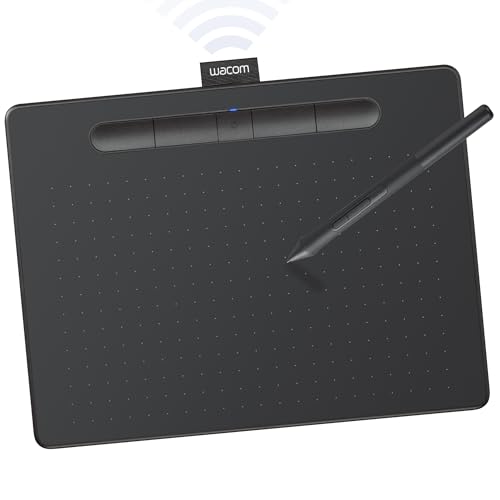
Type
Pen tablet (no screen)
Size
Medium
Pen
Battery-free
Shortcuts
4 ExpressKeys
Connection
USB and Bluetooth
Works with
Mac, Windows, Chromebook
Pros
- Wacom pen feel and driver support
- Battery-free pen, nothing to charge
- Bluetooth for a clean desk
- Right size for most monitors
Cons
- No screen
- Hand-eye adjustment for new users
- Fewer keys than a pro tablet
If you do not know what tablet a digital artist uses, the Intuos Medium is the gift least likely to miss. Wacom is the reference brand in pen input, and the Intuos is its mainstream tablet: a battery-free pen, four ExpressKeys for undo and brush size, and Bluetooth so it does not need a cable to the laptop. The medium size is the one that maps well to a typical desktop monitor without forcing big arm movements.
We compared it against the Huion and XPPen options in our Huion vs Wacom vs XP-Pen guide: the value brands give more surface and more keys for the money, and Wacom gives the most predictable drivers and the pen feel professionals are trained on. For a budget gift, the Huion Inspiroy 2 Medium (about $68) is the strong alternative. The full field is ranked in our best drawing tablets guide.
Our Pick
The safest drawing tablet gift there is: a Wacom pen tablet with a battery-free pen, four ExpressKeys, and Bluetooth, from the brand most art schools and studios standardize on. It works for a beginner and still earns a place on a working illustrator's desk as a travel or second tablet.
Buy this for a digital artist who draws with a mouse, an old tablet, or a phone, and for a student starting out. It also suits the artist with a pen display who wants something light for a laptop bag.
What we don't like
It is a screenless pen tablet, so the artist draws on the pad while looking at the monitor, which takes a week or two to feel natural. An artist who already owns a recent Intuos does not need another one.